Hey there! I’m a designer of Hourly.
Let's be honest: there’s plenty of time trackers on earth. But we miss some things in them: simple navigation, less hard-work-no-play approach, fewer features (really, we don’t need that many, we don’t use all of that).
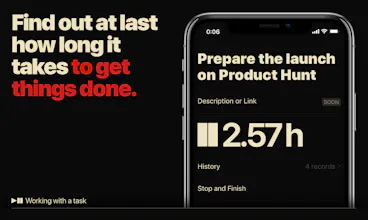
So we made an app called Hourly, and we made it as simple as possible. There are just three buttons in the tab bar:
➕to create a task;
⚫️to see the list of tasks in progress and to pause, resume, or finish any of them;
⬛️to get results per day and per month—helpful in making a report for an employer or in future scheduling.
We know how boring time tracking sometimes can be. That’s why, apart from simplicity, we’ve created many animation tricks and tons of unique pictures shown when a task is finished. These special things inspire to close more tasks, remind to take a break, or just make one smile.
Our users call Hourly easy to use, minimalistic, and funny. We’re very proud of it!
It will be great if you try Hourly too. And, of course, we’re here for your feedback.
@pregenun Thanks a lot! Unfortunately Hourly currently works with iPhone only.
We are collecting feedback to understand how big the demand is among the Android and Mac users. We'll keep in mind your vote!
Report
@kapanaga I really think this will be used a lot among android users, crazy desings btw, do you have dribbble?
@kapanaga two tasks completed and I am really enjoying this so far. Upvoted!
My only feedback is probably what others have already said:
1. Ability to export would be nice, or even expanding into some sort of web dashboard like Fitbit and other trackers do (obviously a big enhancement, but I think this would be really neat)
2. Ability to add a task but not immediately start tracking it. Example: having a Start/Add button instead of just Start. This wasn't a big deal, because you can start and immediately stop it. I'm honestly not even sure if it would be worth adjusting your UI for this because of that reason but, yea... I really like the app and will be using it moving forward :)
@jayel Thanks for the feedback!
1. We'll raise the priority of export implementation.
2. As for this point, we have a big dilemma here. Some of our users want to start tasks right away, and some, including you, don't. Meanwhile we don’t want to make more than one button, as it can complicate the interface, and we love simplicity. I will honestly say that I have not yet come up with a good solution to this, but I will do my best.
Report
@jayel@kapanaga possibly implement a long press/3D touch with the same button for different functionalities?
@akashbgosh Hmmm, actually not a bad idea! There is only one problem: how should users know about it? But I'll try to solve it! Thanks for the tip!
Report
I don't get why so many productivity apps that deal with time don't have Apple Watch versions. This would be ideal for the Apple Watch, as I *do* want to track work time, but I also *do* want to minimize phone interaction while I work.



Mind – Daily Affirmations
Mind – Daily Affirmations
Mind – Daily Affirmations
Mind – Daily Affirmations
Mind – Daily Affirmations
Mind – Daily Affirmations
Mind – Daily Affirmations
Mind – Daily Affirmations
Mind – Daily Affirmations
Mind – Daily Affirmations
HelpKit Knowledge Base
Mind – Daily Affirmations
Killer app! Looking forward to seeing the benefits of long-term use!
Pros:Bold, simple, useful. I like not having distracting features. I don't need a burndown chart based on a tagging scheme, thank you.
Cons:The square/circle icons are confusing, usability-wise. And the illustrations are too much with already bold typography.