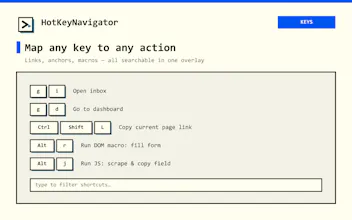
HotKeyNavigator turns your keyboard into a command center for the web. Map one hotkey to fully composable actions — multi-step macros, deep links, text expansion with variables, DOM click sequences, and custom JavaScript — chained into a single keypress. Add context-aware profiles that switch per site, a Ctrl+K command palette, clipboard history, and a full Vim mode. Manifest V3-native, local-first, and free.
No reviews yetBe the first to leave a review for HotKeyNavigator
Maker
📌
Hey Product Hunt! 👋 I'm Vojtěch, maker of HotKeyNavigator.
What inspired it: I kept catching myself — and every SDR, recruiter and support person I know — doing the same clicks all day: opening the same tabs, retyping the same messages, hunting through the same menus. I wanted my hands to never leave the keyboard.
The problem: Macro tools and text expanders exist, but they're clunky desktop apps that don't understand the browser's DOM — or they're abandoned extensions that request huge host permissions and get stuck in Web Store review limbo, so bugs take weeks to fix.
How it evolved: I committed to Manifest V3-native and local-first from day one. That constraint shaped everything — it stays fast, avoids broad permissions, ships fixes in minutes, and keeps your data on your device. Along the way it grew from "a shortcut mapper" into a fully composable engine where one hotkey can chain macro → wait → click → text expansion → custom JS.
Today it does:
⌨️ Multi-step macros & DOM sequences
✍️ Text expansion with variables ({{name}}, {{company}})
🧠 Custom JavaScript on the active page
🗂️ Context-aware profiles that switch per site
🔍 Ctrl+K command palette · 📋 clipboard history
…and a full Vim mode for navigating and editing text in any web app — free.
The free tier is genuinely useful; Pro is $7/mo for unlimited + cloud sync.
Would love your feedback 🙏 — what's the one repetitive browser task you'd automate first?
Report
The per-site profile switching is genuinely useful, and chaining a DOM click sequence with a text expansion variable works exactly as advertised. Finally a keyboard tool that feels like it was built by someone who actually lives in the browser.
the site-switching profiles are clever, especially how a single hotkey can run a DOM click sequence then paste a templated reply with a variable filled in
Report
Maker
@levent39344 Thank you ! The variables were a must have for writing repetitive emails for me
The per-site profile switching is genuinely useful, and chaining a DOM click sequence with a text expansion variable works exactly as advertised. Finally a keyboard tool that feels like it was built by someone who actually lives in the browser.
@enverdonat Thank you so much !
the site-switching profiles are clever, especially how a single hotkey can run a DOM click sequence then paste a templated reply with a variable filled in
@levent39344 Thank you ! The variables were a must have for writing repetitive emails for me