
Helm
One click. Every app, tab, and window in position
7 followers
One click. Every app, tab, and window in position
7 followers
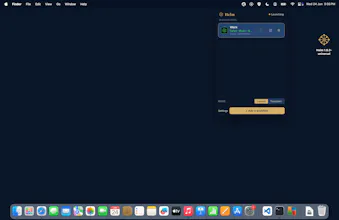
Helm sits in the macOS menu bar. One click opens every app, tab, and window a workflow needs. Capture turns your real screen into a workflow. Free for two workflows. $9 one time unlocks unlimited workflows and teardown. No subscription.




Hi, I'm Richard, a college student fighting a problem. My solution: I built Helm.
It started with a count: rebuilding my environment after a context switch — the right Chrome profile, the right Slack channel, the VS Code workspace, specific tasks for every class I was taking, the windows arranged — took about five minutes, and I was doing it six times a day.
Helm lives in the macOS menu bar. One click opens an entire workflow: every app, every tab, every window, in the state you need.
The part I'd want you to try first is Capture. Helm reads your current screen and turns it into a workflow — apps, Chrome tabs with their profile, the VS Code workspace, the Slack channel, open files. You build by doing, not by configuring.
Worth knowing:
- It talks to macOS through JXA and the Accessibility APIs, not URL schemes or shortcut hacks.
- Chrome tabs open in the right profile, detected automatically. Override with one click.
- Teardown is the reverse move: one click closes a workflow's apps and tabs, per Chrome profile, leaving everything else alone.
- Workflows live on your machine, in Application Support. No account.
Pricing is one decision, made once: Helm is free for two workflows, forever. $9 unlocks everything — unlimited workflows and teardown. One time. No subscription.
I'm here all day. Ask me anything, I'll be happy to answer
The menu bar placement is such a smart move, keeps it out of the way until you actually need it. Love that the free tier lets you try real workflows before paying, feels respectful.
The one-time unlock for unlimited workflows is a refreshing change from the subscription fatigue everywhere else. Nice touch making Capture turn your actual screen into the setup too.