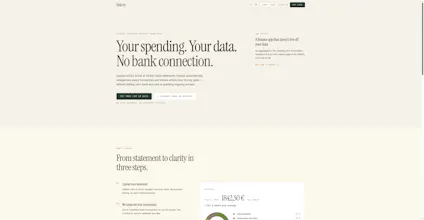
Halcón turns CSV, Excel and AEB43 bank statements into categorized transactions and a spending dashboard. No bank sync or banking credentials. EU-hosted, with a 30-day free trial and no card required.
No reviews yetBe the first to leave a review for Halcón
Maker
📌
Hi Product Hunt 👋
I built Halcón because I wanted a clear view of my spending without giving another service ongoing access to my bank.
Instead of bank sync, you download a statement from your bank and upload it as CSV, Excel, or AEB43/Norma 43. Halcón normalizes the data, categorizes transactions, lets you correct categories, filters internal transfers, and turns everything into a spending dashboard.
The tradeoff is intentional: updates are manual. In return, Halcón never receives your banking credentials and cannot continuously access your account. Data is hosted in Germany, there are no ads or third-party data sales, and account deletion hard-deletes active application data.
There is a 30-day trial with no card required. I’d especially appreciate feedback on the import experience and whether the no-bank-sync tradeoff feels worthwhile.
Report
@halcon Privacy is becoming a much bigger consideration, so I was happy to upvote Halcón. Choosing manual imports over permanent bank access is a thoughtful tradeoff, especially for people who value control of their financial data. How are you handling transaction categorization for uploads from different banks and formats?
Report
Maker
@spotch_founder thanks for the upvote, categorization workd in two stages.
First, parsing. AEB43 is deterministic, same fields whatever the bank, so it is really easy. For CSV and Excels is the messy part: column order changes, some banks give one signed amount and others a debit/credit pair, date formats vary, decimal commas. The importer detects the layout instead of asking you to map columns by hand, and it filters transfers between your own accounts so they do not show up as income and expense at the same time.
Then, categorization. A classifier trained on descriptors assigns a category with a confidence score. Below a threshold it does not auto-assign, it leaves the transaction for you rather than guessing, because a wrong category that looks confident is worse than a blank one.
The honest limitation, since it has come up a few times in this thread: correcting a category only changes that transaction. It does not create a reusable rule and it does not retrain anything today. That is a real gap, not a roadmap tease.
Report
Love that it handles AEB43 files since Spanish banks are a nightmare to parse. One thing that would be a huge win for me: add the ability to set custom category rules based on regex patterns or merchant keywords, so recurring transactions get auto-tagged the way I want instead of needing to manually recategorize them every month.
Report
Maker
@sukruu12032 Thanks, reusable category rules do not exist in Halcon today. A manual correction only changes that transaction; I do not want to imply otherwise. Since you mentioned AEB43 specifically, which bank's export are you working with? And would you expect a rule to match the raw statement description or a normalized merchant name?
Report
One thing that would make this way more useful for me is a rules engine where I can set custom categorization rules, like "always tag any merchant containing 'AMZN' as Shopping." Auto-categorization is great but I have specific preferences that would save me tons of manual cleanup each month.
Report
Maker
@emelzgbk Thanks. That is not available today: Halcon categorizes automatically and lets you correct a transaction, but it does not create persistent keyword or regex rules. If this comes from a workflow you use, would a simple "description contains" rule cover it, or do you genuinely need regex? Should a user rule always override the automatic classifier?
Report
Dropped in a messy CSV from my account and the categories were already useful without me tweaking anything. Privacy-first approach without the bank linking hassle is a nice change of pace.
Report
Dropped in a couple messy bank CSVs and the categorization was surprisingly accurate out of the box. No card for the trial is a nice touch.
@halcon Privacy is becoming a much bigger consideration, so I was happy to upvote Halcón. Choosing manual imports over permanent bank access is a thoughtful tradeoff, especially for people who value control of their financial data. How are you handling transaction categorization for uploads from different banks and formats?
@spotch_founder thanks for the upvote, categorization workd in two stages.
First, parsing. AEB43 is deterministic, same fields whatever the bank, so it is really easy. For CSV and Excels is the messy part: column order changes, some banks give one signed amount and others a debit/credit pair, date formats vary, decimal commas. The importer detects the layout instead of asking you to map columns by hand, and it filters transfers between your own accounts so they do not show up as income and expense at the same time.
Then, categorization. A classifier trained on descriptors assigns a category with a confidence score. Below a threshold it does not auto-assign, it leaves the transaction for you rather than guessing, because a wrong category that looks confident is worse than a blank one.
The honest limitation, since it has come up a few times in this thread: correcting a category only changes that transaction. It does not create a reusable rule and it does not retrain anything today. That is a real gap, not a roadmap tease.
Love that it handles AEB43 files since Spanish banks are a nightmare to parse. One thing that would be a huge win for me: add the ability to set custom category rules based on regex patterns or merchant keywords, so recurring transactions get auto-tagged the way I want instead of needing to manually recategorize them every month.
@sukruu12032 Thanks, reusable category rules do not exist in Halcon today. A manual correction only changes that transaction; I do not want to imply otherwise. Since you mentioned AEB43 specifically, which bank's export are you working with? And would you expect a rule to match the raw statement description or a normalized merchant name?
One thing that would make this way more useful for me is a rules engine where I can set custom categorization rules, like "always tag any merchant containing 'AMZN' as Shopping." Auto-categorization is great but I have specific preferences that would save me tons of manual cleanup each month.
@emelzgbk Thanks. That is not available today: Halcon categorizes automatically and lets you correct a transaction, but it does not create persistent keyword or regex rules. If this comes from a workflow you use, would a simple "description contains" rule cover it, or do you genuinely need regex? Should a user rule always override the automatic classifier?
Dropped in a messy CSV from my account and the categories were already useful without me tweaking anything. Privacy-first approach without the bank linking hassle is a nice change of pace.
Dropped in a couple messy bank CSVs and the categorization was surprisingly accurate out of the box. No card for the trial is a nice touch.