
Gridly
Window management at your fingertips.
2 followers
Window management at your fingertips.
2 followers
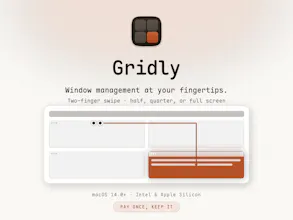
Two-finger swipe on any window title bar to snap it to a half, a quarter, or full screen. macOS 14+, Intel and Apple Silicon, one-time purchase.
Free Options
Launch Team / Built With


EneyProactive AI for Mac. Free test, 20,000 credits.
Promoted


Gridly 1.1.0 Update
Left and right swipes now go further than halves: keep swiping toward the same edge and the window steps through narrow — half — wide. Settings lets you pick the extra pair of widths (1/3 & 2/3, or 1/4 & 3/4). Swiping down three times minimizes the window; the third stroke must travel farther so it never happens by accident.
After you snap a window, Gridly can fill the space left over with your recent windows — automatically, or one candidate at a time with “Let me pick a window” (off by default). Changed your mind? Press Esc within five seconds and every window that moved goes back where it was.
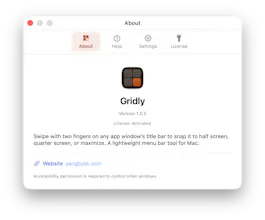
Five accent colours (Gridly orange, Graphite, Blue, Green, Purple) now theme the interface, the window preview and the app icon. The About window shows your Accessibility permission at a glance, and swiping on Gridly’s own Settings or About windows no longer moves the windows behind them.
Gridly 1.0.7 Update
Added the ability to customize the window size to "moderate and centered". The slider in the settings ranges from 25% to 95%, with a default of 60%; the ratio is calculated based on screen area, with 25% corresponding to one-quarter of the screen.
The configured control colors are now consistent with the theme color.
Gridly 1.1.1 Update
2026-08-30
Settings and Help have been reorganized: related options sit together, and Help follows the same structure so you can find a gesture without hunting.
Less-used gestures — width steps, restore, minimize, and Esc undo — each have a switch in Settings. Turn one off and the swipe falls back to the previous step instead of doing nothing. Half screen, corners and maximize stay on.