
Most AI tools make you explain the context before they can help. Goldfish already has it. It privately remembers what you’ve been working on across your Mac, then helps you write better from any app. Press Option in a text field to draft replies, summarize threads, rewrite sentences, or recall important details from your recent work without copying, pasting, or re-explaining the whole backstory.




How does Goldfish handle forgetting old context that's no longer relevant like a finished project or an old draft? Is that automatic or does the user manage it?
Goldfish
@carlos_leonardo1 it’s mostly automatic. Goldfish prioritizes recent context for “what am I doing right now?” and uses longer-term memory more for patterns around projects, people, and tone.
Old stuff should naturally decay in relevance when you move on, but you can also control it manually: pause capture, exclude specific apps/domains, or delete stored history. The goal is that a finished project doesn’t keep leaking into unrelated drafts just because it once mattered.
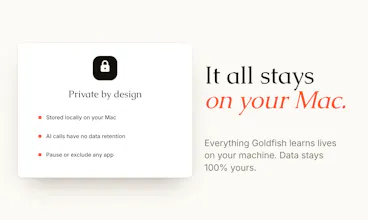
Wow gonna give this a try. Are the memories local?
Goldfish
@alexander_gusev3 Happy to hear that Alexander!
Yes, so everything is saved in a local sqlite database and a vector database! Let me know when you've tried it and if you have any feedback 🙏☺️
@alexander_gusev3 yes, fully local. Nobody can see your data, not even us the creators!
@alexander_gusev3 @joel_edholm Perhaps when certain conditions are met? Like turning on a VPN or when a browser is switched to incognito mode?
Trice
@joel_edholm , This is really cool. How to claim this "everyone from Product Hunt gets 3 months of free access!!"?
Goldfish
@surenganne Hey Surendra! It's active by default when you register today, so just make sure to test goldfish today and you will get the free access! 🐠 Have you tested it yet?
@surenganne Just sign up, it will be automatically applied! Go loco and let us know your feedback
I’ve been using Goldfish daily for a month: it’s one of those tools you don’t realize you needed until you can’t imagine working without it. No more copy-pasting Slack threads into a chatbot just to get context. Press Option and it already knows what’s going on.
The tone adaptation is the killer feature for me. Writes like me on Slack, like me on email, without any setup. And everything stays local, which matters.
Congrats on the launch team 🐠
Goldfish
@faustin_havard thank you faustin, this means a lot coming from you! 🐠
Does it work equally well across different apps like Slack, Gmail, and Notion? The feature great, but I'm curious about how seamless the integration really is.
Goldfish
@jordan_bulk yes, that’s exactly the idea. Goldfish works across apps like Slack, Gmail, Notion, LinkedIn, Product Hunt, docs, browser tabs, etc.
The integration is through the Mac itself rather than one-off plugins, so you press Option in the text field you’re already using and it reads the surrounding context from that app. The seamless part is not having to copy/paste the thread into a chatbot first.
There are still edge cases depending on the app and text field, but the core flow is already working well across the surfaces people use day to day.
@kar_re that's great
the "knows the internet but not the work" line is the actual gap. it's why every AI tool feels useful for 3 minutes and useless for the 4th. they're operating on context that's everyone's and nobody's at the same time.
real question: how do you handle the boundary between "knows my work" and "leaks my work"? the moment AI starts ingesting my drafts, my comp negotiations, my "i don't actually agree with this strategy" doc, the security threat model gets way more interesting.
if there's a clean answer to that i'm sold.
Hi. This is such an interesting product. Im a university student at the moment so I can already see goldfish helping me in replying to professors on teams messages, my group chats, all of it. I was really surprised at how quickly it picked up my recent work including tabs that are open and my personality in general. (a little creepy, i must say, that it'd lead me to double check and read your privacy policy) but it was still pretty neat and efficient onboarding. It also picked up cultural/language differences between chats. One thing that I didn't like was that when i was editing a draft of my writing on medium, goldfish took the entire text field as a text box to format and edit which is also a little scary if Im working on something that doesn't have autosave drafts on, is there a revert option on goldfish edits?
I have one question, if I do side marketing work and I have, say, my clients linkedin and instagram open on my browser, won't goldfish kind of mix the data. like my device is a mess with various people's socials open at any given time so even the onboarding process involving linkedin involved using a clients and i wonder what effect constant back and forth between socials and various post/text-boxes has on goldfish's data on me.