Glimmr

Glimmr

The best brightness utility app for Windows.

5.0
β€’1 reviewβ€’

1 follower

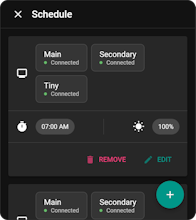
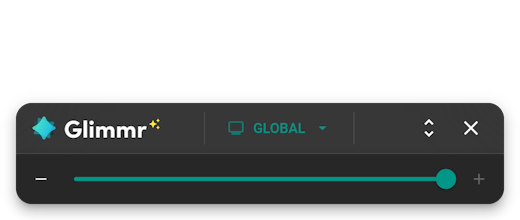
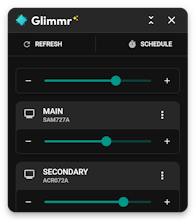
The brightness control your monitors should have come with. Tired of burning your retinas every time you open a white screen at night? Glimmr gives you effortless brightness control for all your monitors β€” yes, even those stubborn external ones Windows ignores. πŸ–₯️ Supports multi-monitor setups πŸŽ›οΈ Simple, sleek, no bloat πŸŒ™ Perfect for night owls, coders, designers, and control freaks Set it and forget it β€” or tweak it obsessively. Your eyes will thank you.
Glimmr gallery image
Free
Launch tags:Windowsβ€’Menu Bar Apps
Launch Team
Unblocked AI Code Review
High-signal comments based on your team's context
Promoted

What do you think? …

Carlos Santos
Maker
πŸ“Œ
From my own experience, I saw firsthand the complications of managing multiple monitors - the individual brightness adjustment on each screen was notably tedious, particularly in dynamic lighting conditions. I realized many others likely faced the same issue, which inspired me to craft a solution for a more comfortable and efficient multi-monitor experience. The outcome is Glimmr, a product shaped by this necessity. This intuitive application enables you to adjust the brightness across all your screens simultaneously, without being restricted by the type of monitor connection. While some existing apps offer brightness control, they tend to be limited to DDC/CI compatible monitors and often fall short in providing a streamlined user experience. Glimmr is the perfect mix of elegant design and functionality. We're excited to share Glimmr with you and would love to hear your thoughts, experiences, and suggestions. Give it a try and let us know what you think!