Launched this week

Glasshand
Give your agent a real iPhone and Mac
683 followers
Give your agent a real iPhone and Mac
683 followers
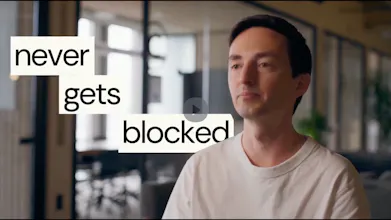
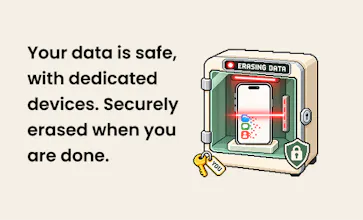
Glasshand gives your AI agents real iPhones and Macs to work on. Connect Claude Code, Codex, or any other agent, and it can rent a device with a single prompt. The hardware sits in our data center, and your agent uses it the way you would: posting on TikTok, booking an Uber, or building and testing iOS apps. Each device is yours alone for as long as you rent it. When you’re done, we erase your data and factory-reset it.




Free Options
Launch Team / Built With


CloudflareYour next app belongs on Cloudflare Workers. Deploy for free
Promoted
Real devices instead of emulators is a big deal. As a front-end dev, half my “works on my machine” bugs only show up in Safari on an actual iPhone. Could an agent use Glasshand to open a staging URL in mobile Safari, run through a flow, and report back with screenshots? That would be a huge time saver for mobile web QA. Congrats on the launch!
I'd let it get an Instagram carousel into drafts. I still want to pick the cover and write the caption myself.
@andy2026 yes you can do that! One of the advantage of doing that with Adrian is that you can totally customize your flow
Real device control is huge for agents - but latency spikes on network hiccups could kill agentic workflows. How do you handle timeout recovery without breaking the session state? That's your real differentiator.
@omri_ben_shoham1 Each phone and controller are powered by Ethernet, which makes the set up a lot more stable.
Renting a real phone for an afternoon to book an Uber through an agent is such a different proposition from simulating taps, and the factory reset at the end is the part that makes me comfortable with it.
Real hardware instead of a simulator is the right call for anything touching iCloud sign-in or SMS codes, which is exactly where agent flows usually stall. How do you handle Apple's 2FA and trusted-device prompts when an agent signs into iCloud on a freshly reset phone?
Using real devices makes sense here—iCloud authentication and SMS verification are often where agent workflows get stuck. When an agent signs into iCloud on a freshly reset iPhone, how do you manage Apple’s 2FA checks and approval prompts on trusted devices?