GISCARTA

GISCARTA

Simple and powerful tool to work with maps.

207 followers

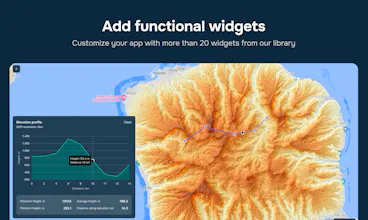
Empower Your Mapping Vision Without Code! Unlock the potential of location data and mapping with GISCARTA, your no-code map builder. No longer do you need to grapple with complex coding or invest in costly enterprise solutions.
GISCARTA gallery image
Free Options
Launch Team
AppSignal
AppSignal
Get the APM insights you need without enterprise price tags.
Promoted

What do you think? …

Tatiana Garifullina
Great job! I like it!
Alex Korolev
Svetlana Anisenko
Great work! Congratulations🎉
Alex Korolev
@svet_designa Thank you
Tomas
Great! Good work!
Iurii Lebedev
Great job, congratulations on the launch!
Jake McMahon
Amazing product guys – as someone who has done mapping in Python, I can see how powerful your product will be :) A bug @alex_korolev @pavel_tsarev1 – when I click on data sources > data source (i.e. Earthquakes) > See more – it just sends me back to the homepage. Product suggestion: When I am in my project, and adding data sources, I can only add them, not remove them. At least, I don't see the option to remove a data source that I have added. Congratulations on the launch, team 🚀
Alex Korolev
@pavel_tsarev1 @jake_mcmahon1 Thank you for your comment! About Data source - yes, suppose we will remove "More" About remove layer. While editing project you can click Layers -- then click on 3 dots near a layer you want to remove -- click Delete
Jake McMahon
@pavel_tsarev1 @alex_korolev Amazing – thank you guys for the quick reply :)
Sabina Sonning
Thank you for making map-making more accessible! Looks easy to use and I like the visualization!
Alex Korolev
@sabina_sonning Thank you very much!
Sandra Djajic
Congratulations! I love the concept and how you nailed to implement it, great job 👏
Alex Korolev
@sandradjajic Thank you!