Launching today

Gestures for macOS
Custom trackpad gestures for all apps or specific apps
2 followers
Custom trackpad gestures for all apps or specific apps
2 followers
Create your own trackpad gestures that run actions on your Mac, like Back, switch tabs, or any menu item or shortcut. Set each gesture for all apps or for a specific app. A free, gestures-only alternative to BetterTouchTool.


Hi everyone, I'm Daniel, the maker of Gestures for macOS.
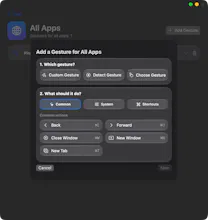
It lets you create your own trackpad gestures and choose what each one does. You can pick a gesture (swipes, pinch, rotate, taps, holds, edge slides, corner taps, or record your own) and connect it to an action like Back, New Tab, Close Window, Copy, Paste, any menu item of the app, or any keyboard shortcut.
Each gesture can work in all apps, or only in a specific app. For example, a two-finger swipe can go Back in Finder and switch tabs in Safari.
BetterTouchTool is the well-known tool in this space and it does a lot more than I do. This app is deliberately simple and free: gestures only.
Honest limitations: it's version 1.0, it needs macOS 14 or later and a trackpad (no Magic Mouse), and it isn't notarized yet, so macOS asks for a one-time approval on first launch. The steps are in the README.
I'd love feedback, especially on which gestures and actions you'd want next. Thanks for trying it!