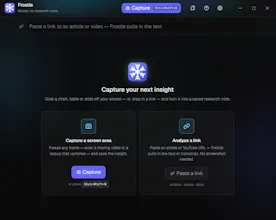
Frostle is a native Windows AI overlay: a hotkey freezes your whole screen — even video, games or a popup — you drag a box over any region and get an instant answer. Every answer becomes a research note you save, search and export.
No reviews yetBe the first to leave a review for Frostle
Maker
📌
I made this because I was tired of the same loop: pause a video, screenshot, crop, open a chat, paste, type the question. And half the time the thing I wanted had already scrolled off screen.
So Frostle removes the middle part. You press Ctrl+Shift+B, the entire screen freezes into a still, you drag a box over whatever you need, and you get an answer. Summarize, explain a chart, pull a table into markdown, translate, or just ask something. You can keep asking about the same capture instead of re-uploading it, and every answer can be saved with its source link and exported as one markdown note.
The freeze is the whole point. Most screen-AI tools look at a live window, so a moving video or a tooltip that disappears the second you move your mouse is already gone. Freezing first means you get to take your time.
It's free and runs on your own Anthropic key - no account, no subscription, and nothing goes through a server of mine. The key sits in the Windows Credential Manager and requests go straight to the API. Normal use costs a few cents a day.
Built with Tauri and Rust, so the installer is 9.7 MB instead of the usual Electron 100.
Two honest caveats: it's Windows 10/11 only, and the installer isn't code-signed yet, so SmartScreen will call it an unknown publisher on first run. Working on both.
I'd really like to hear where it breaks for you. I'm here all day.
Report
The freeze-and-capture flow sounds really smooth, especially for video frames. One thing that would help me as a student: let me pin two answers side by side from different frozen captures so I can compare them without flipping back and forth. A split-view sticky note mode would make this way more useful for research.
Report
Maker
@engagementez Thanks for the request. I’ve made an update. The library has a "Compare" function: select two excerpts, and the corresponding answers will open side-by-side, with each column scrolling independently. Let me know if anything else needs adjustment.
Report
Finally tried Frostle and the screen-freeze hotkey is genuinely smooth, even capturing a video frame mid-playback without stutter. Saving answers as searchable notes is a really nice touch for keeping research tidy.
Report
Maker
@journeyer Thank you for the feedback; please let me know if you have any comments.
Report
Snapped a box over a frame in a YouTube tutorial and got the answer in seconds. Saving it as a searchable note is such a small touch but it actually makes me want to use it again.
Report
Finally tried this and the hotkey-to-region flow feels way smoother than juggling screenshots. Liked that it actually grabs moving game frames without breaking.
The freeze-and-capture flow sounds really smooth, especially for video frames. One thing that would help me as a student: let me pin two answers side by side from different frozen captures so I can compare them without flipping back and forth. A split-view sticky note mode would make this way more useful for research.
@engagementez Thanks for the request. I’ve made an update. The library has a "Compare" function: select two excerpts, and the corresponding answers will open side-by-side, with each column scrolling independently. Let me know if anything else needs adjustment.
Finally tried Frostle and the screen-freeze hotkey is genuinely smooth, even capturing a video frame mid-playback without stutter. Saving answers as searchable notes is a really nice touch for keeping research tidy.
@journeyer Thank you for the feedback; please let me know if you have any comments.
Snapped a box over a frame in a YouTube tutorial and got the answer in seconds. Saving it as a searchable note is such a small touch but it actually makes me want to use it again.
Finally tried this and the hotkey-to-region flow feels way smoother than juggling screenshots. Liked that it actually grabs moving game frames without breaking.