
Frostle
Freeze your screen and ask AI about any part of it
13 followers
Freeze your screen and ask AI about any part of it
13 followers
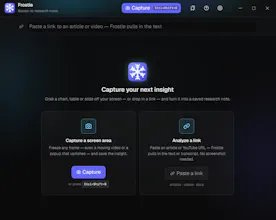
Frostle is a native Windows AI overlay: a hotkey freezes your whole screen — even video, games or a popup — you drag a box over any region and get an instant answer. Every answer becomes a research note you save, search and export.


Free
Launch Team

AWS Activate CreditsCredits that fuel your startup’s next milestone
Promoted
The freeze-and-capture flow sounds really smooth, especially for video frames. One thing that would help me as a student: let me pin two answers side by side from different frozen captures so I can compare them without flipping back and forth. A split-view sticky note mode would make this way more useful for research.
@engagementez Thanks for the request. I’ve made an update. The library has a "Compare" function: select two excerpts, and the corresponding answers will open side-by-side, with each column scrolling independently. Let me know if anything else needs adjustment.
Finally tried Frostle and the screen-freeze hotkey is genuinely smooth, even capturing a video frame mid-playback without stutter. Saving answers as searchable notes is a really nice touch for keeping research tidy.
@journeyer Thank you for the feedback; please let me know if you have any comments.
Snapped a box over a frame in a YouTube tutorial and got the answer in seconds. Saving it as a searchable note is such a small touch but it actually makes me want to use it again.
Finally tried this and the hotkey-to-region flow feels way smoother than juggling screenshots. Liked that it actually grabs moving game frames without breaking.