Launching today

FreeMyPhone
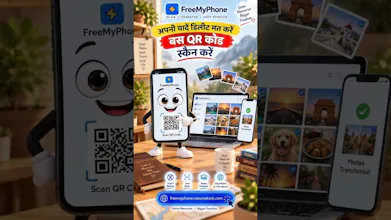
Wirelessly transfer photos
2 followers
Wirelessly transfer photos
2 followers
Direct hardware-to-hardware wireless photo and video transfer from smartphone to computer

Free
Launch Team

Render: Get up to $100K in startup creditsThe fastest way to deploy and scale apps and agents
Promoted
### 🚀 The Problem FreeMyPhone Solves
We've all faced it:
- Sending photos to yourself on WhatsApp or Telegram compresses high-res 4K media and wipes EXIF data.
- Cloud drives (Google Drive, iCloud) require double the time (uploading + downloading) and quickly hit paid storage limits.
- Finding a working USB cable often turns into a hunt for missing adapters or broken MTP drivers.
### ⚡ How FreeMyPhone Works
FreeMyPhone is a lightweight, zero-cloud browser utility built for cross-platform transfers (iOS/Android to Windows/Mac):
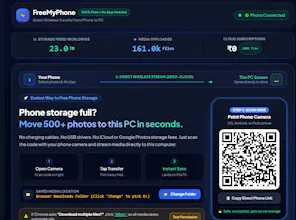
1. Open on PC: Visit freemyphone.nexurastack.com to generate your session QR code.
2. Scan with Phone Camera: Open your default camera app—no companion mobile app required.
3. Select & Stream: Pick your photos, bursts, or heavy 4K 60fps clips. Files stream directly across your local network and save straight into your PC's downloads folder.
### 🛡️ Key Features
- Zero Cloud Storage: Media is streamed directly between device sessions and wiped from temporary server memory immediately upon delivery.
- Original Resolution: Preserves full 12MP/48MP detail, 4K video bitrates, and raw EXIF capture metadata.
- Auto-HEIC Conversion (Optional): Automatically converts Apple's .HEIC format to universal .JPG on the fly so Windows can open it immediately.
- Automatic Organization: Organizes incoming files into Year/Month directory folders automatically.
- 100% Free: No subscriptions, no account creation, and no paywalls.