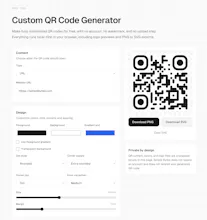
Simple Bytes' Free and Local QR Code Generator creates custom QR codes entirely in the browser. It supports logos, colors, shapes, PNG export, SVG export, multiple QR content types, no account, no watermark, and no upload step for private files.
No reviews yetBe the first to leave a review for Free and Local QR Code Generator
Maker
📌
Hey Product Hunt, I built this because QR code generators too often turn a tiny task into signup screens, tracking, redirects, or upsells. This one runs local-first in your browser, keeps logo uploads on your device, and exports PNG or SVG with no account required. It is meant to be boring in the best way: open it, make the QR code, download it, leave. I would love feedback on batch generation and branding controls.
Report
Does the logo embedding stay crisp at large print sizes, or does it start looking pixelated when you bump up the resolution?
Report
Maker
@devranmarangoz it depends mostly on the input file - but should stay crisp up until very large sizes, especially with svg option :)
Report
Does the logo embedding handle transparent backgrounds cleanly, or does it always add a white box behind whatever image you drop in?
Report
Does the logo embedding actually work for any image size, or is there a sweet spot where the QR stays scannable? I've had QR tools before where the code becomes unreadable once you push the design too far.
Report
Love that everything runs locally, dropped in my logo without an account and exported a clean SVG in seconds. The shape and color options go way deeper than I expected for a free tool.
Report
Finally tried a QR tool that doesn't shove a watermark or sign-up wall in my face. Dropping in a logo and exporting as SVG was painless, way smoother than the ones I've wrestled with before.
Does the logo embedding stay crisp at large print sizes, or does it start looking pixelated when you bump up the resolution?
@devranmarangoz it depends mostly on the input file - but should stay crisp up until very large sizes, especially with svg option :)
Does the logo embedding handle transparent backgrounds cleanly, or does it always add a white box behind whatever image you drop in?
Does the logo embedding actually work for any image size, or is there a sweet spot where the QR stays scannable? I've had QR tools before where the code becomes unreadable once you push the design too far.
Love that everything runs locally, dropped in my logo without an account and exported a clean SVG in seconds. The shape and color options go way deeper than I expected for a free tool.
Finally tried a QR tool that doesn't shove a watermark or sign-up wall in my face. Dropping in a logo and exporting as SVG was painless, way smoother than the ones I've wrestled with before.