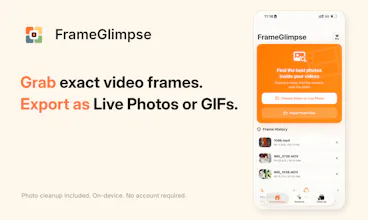
Pick the exact frame from a video or Live Photo, or let on-device analysis surface moments worth keeping. Export as a photo, Live Photo, or GIF, with cropping, cover-frame control, and HDR support. FrameGlimpse also helps clean up screenshots, duplicates, similar photos, short videos, screen recordings, receipts, IDs, barcodes, and more. No account, ads, tracking, or photo uploads.
Framer AI AgentsDesign and publish professional sites with AI
Promoted
Maker
📌
Hey Product Hunt 👋
I’m Mingkai, the indie developer behind FrameGlimpse.
The original problem was pretty simple: getting one good frame out of a video felt more tedious than it should. When expressions and movement change from frame to frame, I wanted an easier way to slow things down and pick exactly the shot I wanted.
That became FrameGlimpse. You can go through a video or Live Photo frame by frame, or let on-device analysis suggest moments worth checking, then export the result as a photo, Live Photo, or GIF. I’ve also added things like cropping, cover-frame selection, and HDR support.
FrameGlimpse also includes photo cleanup. It can find duplicates, similar photos, screenshots, screen recordings, short videos, receipts, IDs, barcodes, and other things that tend to pile up in the library.
Everything is processed on-device. There’s no account, no ads or tracking, and your photos and videos aren’t uploaded anywhere.
I’m building FrameGlimpse on my own, so I’d really love to hear what you think — especially about the frame-picking experience and the photo cleanup side of the app. If you try it, let me know what feels useful, what feels unnecessary, or what you’d change.
One small note: English isn’t my first language, so I used a few translation tools to help me write this. I hope everything comes across clearly 🙂
Thanks for taking a look!