
FrameAnim
Create frame-by-frame animations right in your browser
6 followers
Create frame-by-frame animations right in your browser
6 followers
FrameAnim is a free browser-based frame-by-frame animation tool built for artists, creators, students, and hobbyists. Create smooth 2D animations with layers, onion skinning, drawing tools, glow effects, and an intuitive timeline—all without installing anything. Export your work as GIF, WebM, or MP4 and start animating instantly from any modern browser.


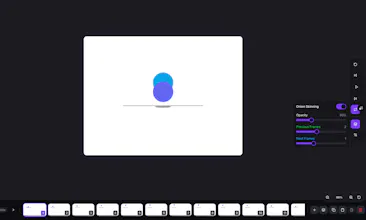


Does the onion skinning only reference the previous frame, or can you adjust how many frames back and forward it shows while you draw?
@filizmzyd Yes! You can adjust it. Onion skinning isn't limited to just the previous frame—you can choose how many previous and next frames are visible while drawing. You can also control the opacity, so it's easy to find the right balance for your animation workflow.
Finally tried this and the onion skinning actually feels right out of the box, which surprised me. Layering plus timeline in a browser without lag is genuinely useful for quick sketches.
@hayrettinkx3ve Thanks for trying it out! Glad the onion skinning felt right out of the box. We put a lot of work into keeping the timeline and layers responsive in the browser, so it's great to hear it's helping with quick sketches. Thanks for the feedback!