Unlike traditional app blockers that can be bypassed with VPNs, uninstalls, or settings changes, FocusVault uses iOS Screen Time API - the same technology parents use for parental controls. The key differentiator: Strict Mode. Once you start a timer, you cannot stop it - even if you delete the app. The timer runs at the iOS system level, not in the app itself. š LAUNCH SPECIAL - LIFETIME FREE ACCESS First 50 people to comment. Just type "PROMO" and I'll DM you a promo code.
š THE PROBLEM
We've all been there:
- Set Screen Time limits ā Turn them off 5 minutes later
- Install Freedom ā Find a VPN workaround
- Try Cold Turkey ā Uninstall when desperate
- Promise "just this once" ā Every single time
š THE SOLUTION
FocusVault uses iOS Screen Time API - the same technology parents use to control their kids' phones. It's built into iOS at the system level, which means you can't bypass it with VPNs, workarounds, or clever tricks.
⨠KEY FEATURES
Strict Mode
Once you start a timer, you cannot stop it. Not by closing the app, deleting it, or restarting your phone. The timer runs at the system level until it expires.
Custom Profiles
Create different blocking profiles for different situations:
- Work Mode: Block social media 9-5
- Sleep Mode: Block everything after 10pm
- Study Mode: Block games and entertainment
- Digital Detox: Full phone break on weekends
Scheduled Timers
Set recurring blocks that start automatically:
- Daily deep work sessions at 9am
- Automatic social media blocks during work hours
- Bedtime blocking every night at 10pm
No need to remember - it just happens.
Home Screen Widgets
See your active timer without opening the app. Quick-start your favorite profiles with one tap from your home screen.
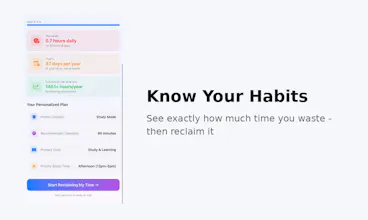
Stats Dashboard
Track your progress over time. See how many hours you've reclaimed from distractions.
Works Offline
Timer keeps running even when your phone has no internet connection.
šÆ WHO IT'S FOR
- Students who can't stop checking social media while studying
- Professionals who need deep work sessions without distractions
- Parents who want to model healthy phone habits
- Anyone with ADHD struggling with impulse control
- People serious about digital wellbeing
š” HOW IT WORKS
1. Choose which apps to block (or block all apps)
2. Set how long you want to focus (15 min - 24 hours)
3. Enable Strict Mode (optional but recommended)
4. Hit Start
5. Now you're locked out until the timer ends
That's it. No escape hatches. No "just one quick check."
š TECHNICAL DETAILS
Built with iOS Screen Time API (FamilyControls framework)
- Blocks at the OS level, not with VPNs or proxies
- Same API parents use for parental controls
- Can't be bypassed without a full device reset
š PRICING
7-day free trial (full access to all features)
$8.99/month or $79.99/year after trial
No ads. No data collection. All blocking happens locally on your device.
š± REQUIREMENTS
iOS 17.0 or later
iPhone and iPad compatible
Supports home screen widgets
I built FocusVault because I needed it myself. Every other app blocker had workarounds. This one doesn't.
Would love your feedback! š
š LAUNCH SPECIAL - LIFETIME FREE ACCESS
First 50 people to comment get FocusVault FREE FOREVER.
Why am I doing this? I want to build the best app blocker on the market,
and I need your feedback to get there. In exchange for being an early
supporter, you get lifetime access.
After 50 codes are gone, it's back to $8.99/mo or $79.99/yr with 7-day trial.
Just drop a comment below and I'll DM you a promo code.
Report
No reviews yetBe the first to leave a review for FocusVault