FocusDock application observes macOS focus mode and automatically suggests to enhance it when it is turned on: hide distracting apps in Dock, change wallpaper. Switch everything back when focus mode is no longer needed.
Hey all!
I made this macOS application after comming back from holidays and realising I can't keep my focus when there are so many distractions trying to steal my attention.
I love that macOS introduced focus modes, but there are few things that are bugging me:
Even when the focus mode is enabled, all apps that are in my dock can still update their notification badge! So even if I quit Messages app and turn on focus mode, receiving new message means that a red badge appears on Messages app in my Dock. I click it without thinking too much, start reading, replying, click some link and the story goes from there : )) Focus is lost : (
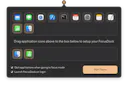
So my idea was to build an app that allows me to temporarily remove apps like Calendar, Mail, Messages, etc. from dock while I'm trying to focus on my work. And leave only those ones that are required for my task
And it helped!
Turning focus mode off after completing my task brings back my original dock allowing me to catch up on my missed messages or mail.
By the way, I've added "Focus Wallpaper" feature as well - ability to change wallpapers when being on focus mode
I'm still trying to improve it, so if anyone has ideas how focus modes on macOS can further be improved - let me know, I'm open to ideas! : )
This is the link to application:
https://focusdock.eu
Couple of months have pasted. This is what's new in FocusDock application:
Flip Wallpaper when going into focus mode (The FocusDock application temporarily replaces macOS wallpaper with your custom one, ensuring a clean and distraction-free environment to help you maintain focus)
Multiple profiles (Want to keep one set of apps in your Dock when switching to "Gaming" mode and another one while in "Working"? Use multiple profiles mode and setup as many profiles as needed)
I've myself been using the app constantly for 3 months now and I found out that it's valuable not only when using combined with macOS focus modes: it's cool to have ability to quickly flip macOS dock applications: So i.e. If I want to show my screen during zoom call, I use FocusDock. It quits/closes unneeded applications, removes no needed apps from dock (and notifications goes away with them)


DMGBuilder
DMGBuilder
Couple of months have pasted.
This is what's new in FocusDock application:
Flip Wallpaper when going into focus mode (The FocusDock application temporarily replaces macOS wallpaper with your custom one, ensuring a clean and distraction-free environment to help you maintain focus)
Multiple profiles (Want to keep one set of apps in your Dock when switching to "Gaming" mode and another one while in "Working"? Use multiple profiles mode and setup as many profiles as needed)
I've myself been using the app constantly for 3 months now and I found out that it's valuable not only when using combined with macOS focus modes: it's cool to have ability to quickly flip macOS dock applications: So i.e. If I want to show my screen during zoom call, I use FocusDock. It quits/closes unneeded applications, removes no needed apps from dock (and notifications goes away with them)
Update version here: flip macOS dock applications