flowy
automatically animated Screen Recordings
125 followers
automatically animated Screen Recordings
125 followers
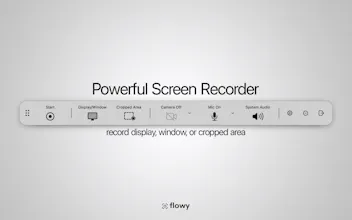
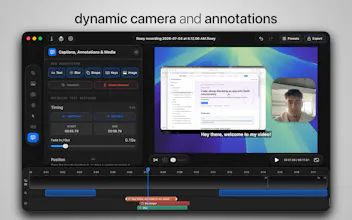
easy-to-use screen recorder for your Mac that will automatically create zoom effects based on your interactions, which you can later edit, along with the background, target aspect ratio, cursor, etc.


flowy
it has never been easier and cheaper to create amazing screen recordings to create presentations or enhance your content and target any platform!
👋 hi, i'm Vlad and this is my first app release ever. to be fair i don't remember what helped me get started, i simply had no idea how a screen recorder/video editor worked, and being a CS student i took it as a challenge to get better at coding.
i was already a bit familiar with Swift after my "tutorial phase", but i wanted to build something real. it took a few months, a looot of learning and a couple of rebuilds, but pushing through all of the ups and downs and finally launching a product feels amazing!
🌊 now, i want to turn this into a professional design tool, and keep it affordable unlike my competitors. bigger things will be coming!
Find us on Mac App Store or at www.getflowy.app!
minimalist phone: creating folders
What is the pricing model? I can see 19,99. Do you mean yearly, monthly or any other time-frame? :)
minimalist phone: creating folders
@vladfurtuna @rohanrecommends Yeah, lifetime would be ideal! :D
flowy
@rohanrecommends @busmark_w_nika hi, thanks for the interest. the pricing is 19.99$ for lifetime access!
minimalist phone: creating folders
@rohanrecommends @vladfurtuna Thank you for information :)
Linkinize
Automatic zoom effects based on interaction? That’s such a smart way to make screen recordings more engaging without manual editing. Looks super polished, love the website as well 👏 . Congrats on the launch 🚀
flowy
@naderikladious thanks a lot for the feedback! good luck with Linkinize!
Linkinize
@vladfurtuna Thanks, would love your support as well if possible 😊
This is brilliant! The automatic zoom effects based on interactions is such a smart approach with no more manually keyframing every click and scroll.
Quick question: does Flowy detect different types of interactions (hover vs click vs scroll) and apply different zoom styles accordingly? This could be a game-changer for product demos and tutorials!
Super polished for a first release, Vlad, love how Flowy auto-zooms based on interactions. Such a smart touch for creators!
Any plans for a Windows version down the line?
flowy
@shantanusewu hi, I appreciate the positive feedback! I can say you've guessed what comes next 😉
This is an amazing product, but I just want to clarify how it differs from other screen recorders. Obviously, there are in-built animations and other features. Will it be able to record for long hours? Can I try out all the features in the trial version?
flowy
@thejus_ph The first difference any of our users will feel is our price point, which is much lower than any other similar apps (no one should worry about a monthly expense for a screen recorder). The in-built animations are a game changer, as you can target any audience without worrying about low visibility of your screen (example: using the Vertical and Zoomed In options, all of your screen will be visible to mobile users, as your recording will follow the cursor around). There is no trial version, flowy is available on Mac App Store at 19.99$ for lifetime access.
@vladfurtuna thank you for explaining! going to give it a try
NoSho.app
This looks great, something I'm sure many businesses and content creators will love. Good luck with your launch.
flowy
@mark_nosho thanks for the kind words 🙌