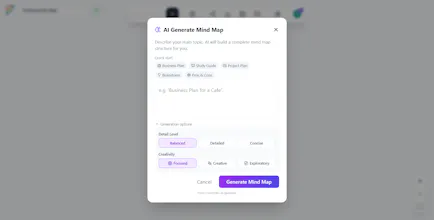
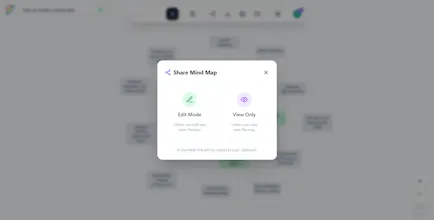
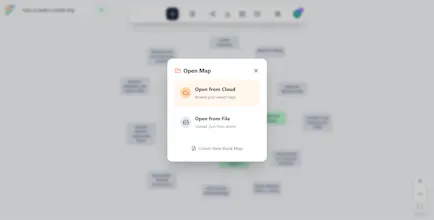
Flowodo is an AI-powered mind mapping tool that turns simple prompts into structured visual maps in seconds — without requiring signup. It’s built for students, founders, and creators who want clarity without complex whiteboard tools. Features: - Instant AI-generated mind maps - No login required to start - Multilingual (EN, DE, ES, FR, PT) - Free + Pro plans - Clean, lightweight interface Try it instantly and turn ideas into structure.
No reviews yetBe the first to leave a review for Flowodo
Maker
📌
👋 Hey Product Hunt — I’m the creator of Flowodo!
After using mind maps for years, I noticed something frustrating:
Most tools became too heavy, too expensive, and too complicated — especially for solo founders, students, and creators.
So I built Flowodo.
A simple idea:
👉 Type a topic
👉 Get a structured mind map in seconds
👉 No signup required
🚀 What Flowodo does
Flowodo turns short prompts into clear, visual mind maps using AI.
People use it for:
- 📚 Studying & exam prep
- 🚀 Startup & project planning
- ✍️ Content outlines
- 🧠 Personal goals & learning plans
- 🌍 Travel & life planning
It’s designed for speed and clarity, not endless features.
🌍 Built for a global audience
From day one, Flowodo supports:
🇺🇸 English 🇩🇪 German 🇪🇸 Spanish 🇫🇷 French 🇵🇹 Portuguese
More languages are coming.
Why “no signup first”?
I believe tools should prove their value before asking for an account.
With Flowodo, you can:
✔ Try instantly
✔ Generate real maps
✔ Decide later if you want to save them
No friction. No pressure.
❤️ Who it’s for
Flowodo is built for:
- Students
- Solo founders
- Indie creators
- Digital nomads
- Anyone who wants clarity fast
If you like mind maps but hate complexity — this is for you.
🙏 I’d love your feedback
This is still early and evolving.
Your thoughts, ideas, and criticism will directly shape the roadmap.
Try it here 👉 https://flowodo.com/
Thanks for checking it out — and happy to answer anything below!
Report
I really like this idea. I had a bit of a buggy experience while trying it out.
I tried using the AI mode, wrote my prompt, submitted, then had the settings modal appear where I had to paste an API key. I followed the link provided, pastes the key, and didn't have a clear way to advance/submit the key. I x'd out and clicked the AI button in the toolbar again. Fortunately, my prompt was still there. I clicked submit, the modal closed, nothing happened. When I went back to the AI modal, I had an error message that I had exceeded my quota (I used the default free gemini plan).
Ideally, the free gemini plan is enough to give users a chance to use the tool at least for a minute. It'd be nice if I could automatically connect any existing account I have and have Flowodo wire to it automatically.
Regardless of the experience, I really like this idea and would love to experience it a bit more smoothly.
Report
Maker
@bbmaxwell Thanks so much for taking the time to try it and for the detailed feedback - I really appreciate it.
The API key flow is definitely something I should improve, as it might not be straightforward. The goal is for users to experience the “aha” moment immediately, not get blocked by technical setup friction.
The quota issue is probably related to the free Gemini tier which is usually very generous from Google, but I completely agree - the first experience should feel smooth and effortless.
I’m already working on simplifying this onboarding flow so users can get started faster without confusion.
Thanks again for highlighting this - feedback like this helps improve Flowodo quickly.
PS: Would you consider trying the Pro account (which costs less than a coffee) to experience and unlock all features without the need to bring your own key?
Report
Love this! I've used other mind mapping tools before, but they get to be so expensive if you want to do more than a couple maps. This one has everything I need, and the AI feature is super helpful!
Report
Maker
@leah_z Thanks so much for the kind words - this made my day! I’m really glad the tool gives you everything you need without the sticker shock, and that the AI feature is proving useful. If you ever want tips on getting even more out of the AI (prompts or export), or have ideas for improvements, I’d love to hear them. Thanks again for the feedback!
I really like this idea. I had a bit of a buggy experience while trying it out.
I tried using the AI mode, wrote my prompt, submitted, then had the settings modal appear where I had to paste an API key. I followed the link provided, pastes the key, and didn't have a clear way to advance/submit the key. I x'd out and clicked the AI button in the toolbar again. Fortunately, my prompt was still there. I clicked submit, the modal closed, nothing happened. When I went back to the AI modal, I had an error message that I had exceeded my quota (I used the default free gemini plan).
Ideally, the free gemini plan is enough to give users a chance to use the tool at least for a minute.
It'd be nice if I could automatically connect any existing account I have and have Flowodo wire to it automatically.
Regardless of the experience, I really like this idea and would love to experience it a bit more smoothly.
@bbmaxwell Thanks so much for taking the time to try it and for the detailed feedback - I really appreciate it.
The API key flow is definitely something I should improve, as it might not be straightforward. The goal is for users to experience the “aha” moment immediately, not get blocked by technical setup friction.
The quota issue is probably related to the free Gemini tier which is usually very generous from Google, but I completely agree - the first experience should feel smooth and effortless.
I’m already working on simplifying this onboarding flow so users can get started faster without confusion.
Thanks again for highlighting this - feedback like this helps improve Flowodo quickly.
PS: Would you consider trying the Pro account (which costs less than a coffee) to experience and unlock all features without the need to bring your own key?
Love this! I've used other mind mapping tools before, but they get to be so expensive if you want to do more than a couple maps. This one has everything I need, and the AI feature is super helpful!
@leah_z Thanks so much for the kind words - this made my day! I’m really glad the tool gives you everything you need without the sticker shock, and that the AI feature is proving useful. If you ever want tips on getting even more out of the AI (prompts or export), or have ideas for improvements, I’d love to hear them. Thanks again for the feedback!