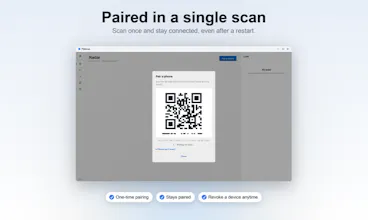
Flitdrop is a free AirDrop for every device. Send files, photos, folders and clipboard between any phone and any computer over your own Wi-Fi. Nothing to install on the phone: scan a QR code once and stay paired. End-to-end encrypted, no account, no cloud.
No reviews yetBe the first to leave a review for Flitdrop
Maker
📌
Hey Product Hunt,
I built Flitdrop because of one small daily annoyance: getting a photo off my iPhone and onto my Windows PC. AirDrop only talks to Apple gear. Everything else wanted me to install an app on the phone, make an account, or bounce my files through someone's cloud just to move them three feet across a room.
So Flitdrop takes the opposite approach. You install one small app on the computer. On the phone there is nothing to install at all: you open the browser, scan a QR code once, and you are paired for good. From then on you send files, folders and clipboard in either direction over your own Wi-Fi. It is end to end encrypted, the key is exchanged through the QR code and never touches the network, and there is no account and no cloud in the middle. It works across every brand, iPhone to PC, Samsung to Mac, whatever you own.
Honest part: it is young. Devices do not auto-discover yet, so the QR pairing is the one manual step, and Linux runs from source today while I finish a packaged build. Windows and Mac are ready to download now. It is free, and the code is public so you can read exactly what it does.
I would genuinely love your feedback, especially the rough edges. What would make this the tool you reach for? Thanks for taking a look.
Report
The QR code pairing without an install step is genuinely clever, it's the kind of friction removal that makes you wonder why every file transfer tool doesn't work this way.
Report
Maker
@erdi0xqk Appreciate that, Erdi. I wondered the same thing for years. The honest reason most tools don't do it: reliable auto-discovery across every OS is genuinely hard, so they fall back on either an app on both ends or a cloud relay in the middle. The QR is my way around that for now, one scan and you stay paired. Real auto-discovery is next on my list.
Report
no install on the phone and just a QR to pair is honestly such a smart move, basically removes the whole friction that makes airdrop clones painful to actually use
Report
Maker
@suat470174 Thanks Suat, honestly that friction is the whole reason Flitdrop exists. Every AirDrop-for-Windows thing I tried made me install an app on my phone or sign up before I could move a single photo, and I'd give up every time. So the phone side had to be zero install. Really glad it lands the way I hoped it would.
The QR code pairing without an install step is genuinely clever, it's the kind of friction removal that makes you wonder why every file transfer tool doesn't work this way.
@erdi0xqk Appreciate that, Erdi. I wondered the same thing for years. The honest reason most tools don't do it: reliable auto-discovery across every OS is genuinely hard, so they fall back on either an app on both ends or a cloud relay in the middle. The QR is my way around that for now, one scan and you stay paired. Real auto-discovery is next on my list.
no install on the phone and just a QR to pair is honestly such a smart move, basically removes the whole friction that makes airdrop clones painful to actually use
@suat470174 Thanks Suat, honestly that friction is the whole reason Flitdrop exists. Every AirDrop-for-Windows thing I tried made me install an app on my phone or sign up before I could move a single photo, and I'd give up every time. So the phone side had to be zero install. Really glad it lands the way I hoped it would.