Launched this week

Everything to Markdown
Paste web content, tables and screenshots into Markdown
2 followers
Paste web content, tables and screenshots into Markdown
2 followers
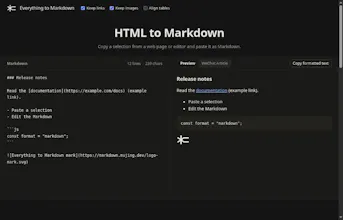
Paste copied web content, spreadsheet cells or screenshots to get editable Markdown. Preview tables, LaTeX and Mermaid, then copy Markdown or formatted text. Free, with no sign-up. Text and HTML stay in your browser; images are uploaded for recognition.


I kept doing small chores just to give my AI agent a table: exporting Excel cells to CSV, fixing broken web tables, or retyping text from screenshots.
And when the agent gave me a neat box-drawn table back? Editing it was another chore.
So I built Everything to Markdown. Paste what you copied, or paste a screenshot, and get editable Markdown to use in your next prompt.
Free. No sign-up. Built for the messy bits between copy and paste.
What’s the most annoying thing you’ve had to reformat for an AI agent?