Entrepreneur OS

100+ components prebuilt in the ultimate Notion template

44 followers

Become the ultimate entrepreneur with a beautifully interconnected Notion workspace where you can manage all of your work in: 11 dashboards 53 templates 23 databases Optimize your digital organization and productivity with Entrepreneur OS!
This is the 2nd launch from Entrepreneur OS. View more

Dynamic Calendar Icons for Notion

Add automatically updating date icons to your Notion
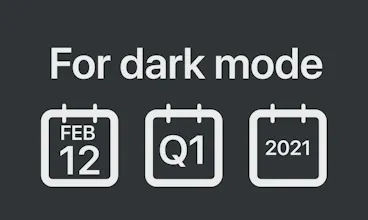
Enhance your Notion pages with automatically updating date icons for:
- today
- yesterday
- tomorrow
- last/this/next week
- last/this/next quarter
- last/this/next month
- last/this/next year
Dynamic Calendar Icons for Notion gallery image
Launch tags:IconsCalendar
Launch Team
AppSignal
AppSignal
Built for dev teams, not Fortune 500s.
Promoted

What do you think? …

Dinakar Sakthivel
"Small yet delightful" Yes! Can the magician reveal the secret? I'm wondering how the dynamic function works.
Tem Nugmanov
Aloha product hunters 👋 Thanks a lot @chrismessina for hunting! Quite a self explanatory "product" here but these are automatically updating date icons for Notion 2.0. I recently overhauled the Optemization Notion workspace and i decided to figure out a way to segment my tasks, meetings etc. based on dynamic time/date ranges. After a few days of ferocious formula typing, we built ourselves these nice daily, weekly, monthly, quarterly and annual dashboards. I always thought that the iOS calendar icon updating dynamically was a small yet delightful feature, so @valentine_erokhin took up the task of figuring out how to do it in Notion and vualá ✨ We added these to our Entrepreneur OS template but soon realized that it would be a fun mini product on its own, so yeah here it is. Let me know if you like it or not!
Rich Peterson
Classy work!📅
Valentine Erokhin
@generouswork Thanks Rich! 😎 did you set them up for yourself?
Natascha Buck 🇨🇭
I'd also have a fourth/fifth design option; background transparent but the insides of the calendar white/black respectively. For everyone using it as page icon and with a cover image for a nicer overlay
Valentine Erokhin
@nataschabuck Oh! That makes a lot of sense. We'll add this update and share links with you once it's out!!
Glen Creaser
Very cool - will you work on other types of dynamic icons as well other than date? Love this.
Tem Nugmanov
@glen_creaser Thanks! I'm really digging the idea of having all our icons change color at a specific time. To sync with my computer going dark mode. So that might be an interesting next thing to do :)
Glen Creaser
@temirlan Sounds like a great next step!
Onutz Verde
do they work for mobile app as well? @maker
Tem Nugmanov
@utestme yes! but not on iOS widgets
Dan Cleary
Well done as usual @temirlan
Tem Nugmanov
Thanks!
Branko Presley
I loveee notion been using it too literally manage my life haha
Tem Nugmanov
12
Next
Last