βœ‚οΈ Emoji Copy Paste πŸ–πŸ»πŸ–πŸΌπŸ–πŸ½πŸ–πŸΎπŸ–πŸΏ

The best, most productive emoji copier with 5 skin tones! πŸ”₯

0 followers

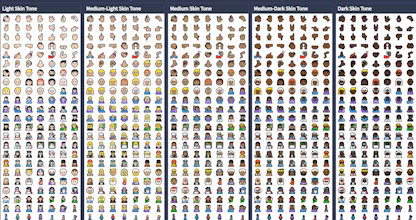
Enjoy a Full-Screen Emoji Copier Experience where you can see as many emojis as possible in a friendly way. Save your time, instead of scrolling back and forth to find an emoji ⚑ It has +2600 Emojis, including all 5 Skin Tones Emojis πŸ–πŸ»πŸ–πŸΌπŸ–πŸ½πŸ–πŸΎπŸ–πŸΏ
βœ‚οΈ Emoji Copy Paste πŸ–πŸ»πŸ–πŸΌπŸ–πŸ½πŸ–πŸΎπŸ–πŸΏ gallery image
Launch tags:Emojiβ€’Social Media
Launch Team
Framer
Framer
Launch websites with enterprise needs at startup speeds.
Promoted

What do you think? …

Yahya Elharony
I always have an opening browser tab of any Emoji Copier to copy/paste emojis when I write LinkedIn Post, WordPress Article, Email Campaigns, or even in the code itself. I tried all Copy & Paste Emojis Tools, and all of them sucks πŸ‘Ž and here's why πŸ˜‰ 1️⃣ Vertical-only & Containered Layout: So you've to keep scrolling until you find the emoji you want, with SO MANY unused whitespaces on the page 2️⃣ No Skin Tones πŸ–πŸ»πŸ–πŸΌπŸ–πŸ½πŸ–πŸΎπŸ–πŸΏ 3️⃣ Not all the emojis exist, only the popular ones 4️⃣ Not all of them support "Click To Copy" functionality I've fixed all the issues above πŸ‘† with +2600 Emojis ⚑ in a Full-Screen & Responsive Layout πŸ–ΌοΈ Click to copy βœ… πŸ€” Do you have any suggestions to make it better❔