
Ellis is an AI notetaker for in-person meetings. Record your meeting, get a clean transcript with each speaker identified, then ask anything — what was decided, what you missed, how it went. No laptop. No extra hardware. Just your iPhone (or Apple Watch).

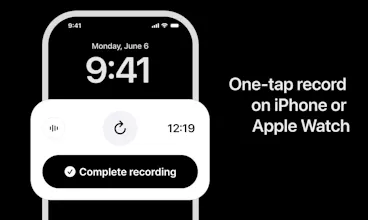


the "one repository across your whole life" framing is the part that clicks for me, most notetakers box you into work context only. Apple Watch as the recording device instead of needing a phone on the table is also a nice touch for stuff like coffee meetups where pulling out a phone feels weird
@omri_ben_shoham1 thanks
no problem, good luck with the launch. curious how the Watch mic holds up in a loud cafe vs a quiet conference room, that seems like the edge case that'd make or break the "just wear it" pitch
@omri_ben_shoham1 Thanks.
Tested today in a cafe with a loud training riding by, and it was good. Haven't noticed yet, where it fails, but I'll continue to monitor it.
Give a try, if you have one. Would love to hear what you think
good to know it held up against actual street noise, that's a tougher test than most demo videos show. will give it a shot next time I'm in a meeting, curious how it does with crosstalk when two people answer at once
How well does the speaker identification hold up in a noisy room with multiple people talking over each other?
How well does the speaker identification actually hold up when people are talking over each other or moving around the room?
the speaker identification worked surprisingly well in a noisy cafe setting, way better than i expected from a phone mic.
@aysimag92529 nice!
The speaker identification without cloud processing feels really thoughtful, like the team actually thought through what people want during a meeting instead of just chasing the AI hype.
@uurnabb I'm trying to be as thoughtful as possible :) Thanks!
The fact that it runs straight from your iPhone or Apple Watch without any extra hardware is genuinely clever, removes so much friction from actually capturing in-person conversations.
@harunartkowci Right. I understand the benefit of having an extra hardware device in that it reduces the friction of actually making a recording. But then again that requires you to purchase and upkeep a physical device.
The decision to make it work on just an iPhone or Apple Watch is genuinely clever. No extra hardware means it'll actually get used in real meetings instead of sitting in a drawer.
@hanifekrkir2f Thanks. The benefit of hardware is to alleviate the friction of starting a recording but that means you need to purchase another hardware devise. Benefit of including it in your iOS infrastructure is that you don't need to