
Effects SDK helps developers add production-ready AI video and audio effects to web, desktop, and mobile apps. Add background blur, virtual backgrounds, smart framing, lighting correction, beautification, overlays, avatars, and real-time noise suppression — all running client-side, without sending video or audio to our servers.


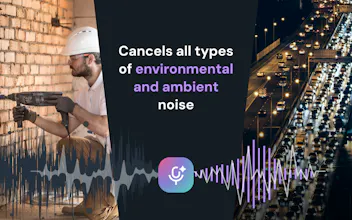


How does performance hold up on lower-end mobile devices when running multiple effects like background blur and noise suppression at the same time?
@eymenjez0 Thanks for the question! In our mobile SDKs, background segmentation runs on the GPU, while noise suppression runs on the CPU in a dedicated high-priority audio thread.
This separation helps distribute the workload more efficiently and makes performance much more stable, even when both features are running at the same
Real-time is the word that makes or breaks this for me. I cut a lot of screen-recorded product demos, and the effects I care about (blur, denoise, auto-captions) are cheap to run after the fact but brutal live. What's the latency budget on the audio side before it drifts out of sync with the video? That's usually where "real-time" quietly becomes "near-time."
@chielephant Great question! We don’t currently provide auto-captions in the Audio SDK, although it’s something we’re considering.
On the audio side, the typical added latency is around 100–150 ms. This comes mainly from collecting the audio chunk required by the model and using a small jitter buffer to keep the output stable.
For video, our target is typically 24–30 FPS, which matches the frame rate used by most video conferencing applications.
The fully client-side, nothing-hits-your-servers approach is what makes this appealing for a small team — no per-minute processing bill to worry about. As an indie dev building an audio-first app: can I pull in just the real-time noise suppression module on its own without the whole video pipeline, and roughly how much cold-start load does the WASM add on first use? Clean launch.
@lennoxbeflying Yes, you can use the real-time noise suppression module independently without including the video pipeline.
On the web, the first clean load can take up to around 10–12 seconds, depending mostly on network conditions, since the audio ML models are significantly larger than the video models.
To make this smoother, we recommend starting the SDK preload independently of microphone access—for example, as soon as the page loads. By the time the user selects a microphone and grants permission, the model is often already ready.
We also cache the required assets locally, so subsequent loads are much faster.
On desktop and mobile, initialization is simpler because all assets are bundled with the application. There is no network download, so the startup time is mainly just the runtime initialization.
@maxim_troshin Do most developers actually use all these effects or just a handful?
@pablo_ani It depends significantly on the product niche. For education, virtual backgrounds, overlays, emojis, and custom layouts are usually the most popular. For business calls, users tend to prefer background blur, beautification, and low-light correction. For recording, color correction and filters are more common, while social media and streaming products often focus on avatars and virtual backgrounds.
Generally, the demand looks something like this: background blur and replacement, beautification, low-light correction, and smart framing. Noise suppression is also highly popular across almost any product that includes video or audio calls.
Overall, feature popularity keeps changing. New capabilities become more important as major platforms like Google Meet and Microsoft Teams introduce them. After some time, users begin to expect the same features in almost every communication service.
@maxim_troshin Was there ever a point where you felt the SDK was becoming too feature heavy?
@lee_jay1 Good question! Yes, definitely. As the feature set grew, we had to be careful not to make the SDK too heavy for every integration. That’s why the largest components, such as AI models and WASM inference modules, are loaded dynamically, and developers can initialize only the effects they actually need.
We’re also considering separating the product into a core pipeline and a plugin-based architecture. The core would handle the rendering engine, layouts and composition, and inference integrations, while plugins would implement specific capabilities. These could include analysis and analytics features that don’t modify the video, as well as visual effects that transform the output stream.
This would make the SDK more modular and allow developers to include only the functionality relevant to their product.
@maxim_troshin Which feature has delivered the biggest impact for your users so far?
@hambali_salisu Currently, I’d say the most impactful features are background blur and replacement, along with noise suppression. They solve the most common problems users face during video and audio calls and improve the experience immediately.
how long does it take it deploy this app?
@adamkamaneh It really depends on the platform and whether the UI and user flow are already prepared.
For example, one of our fastest web integrations took only about four hours from the start of development to production.
We also help customers with the initial integration, so the process is usually much faster and smoother.