EditorsKit

EditorsKit

Page Building Toolkit for the Gutenberg Block Editor.

0 followers

Set of tools and block options built exclusively to help you build content easily; and improve your workflow for the new WordPress Gutenberg block editor.
EditorsKit gallery image
Launch tags:Design Tools•Productivity•Writing
Launch Team
Intercom
Intercom
Startups get 90% off Intercom + 1 year of Fin AI Agent free
Promoted

What do you think? …

Jeffrey Carandang
Hi Everyone! Got a few request for live demo to test drive EditorsKit. I've just created one https://editorskitdemo.kinsta.cl... 👏👏👏 Thank you very much for the upvotes and feedback! Cheers, Jeffrey
Brian Jackson
@phpbits Looks awesome Jeffrey! Your stuff never disappoints.
Jeffrey Carandang
@brianleejackson Thanks a lot Brian! Can't for you to try it out.
Craig Paterson
Great work Jeffrey, this is the kind of plugin which may stop me from adding the "Classic Editor" plugin to new sites.
Jeffrey Carandang
@craigcpaterson This is really great news Craig! I'm glad that EditorsKit can fill the gaps between Classic Editor and Gutenberg. This will encourage more user to start writing using the new block editor.
Ben Gillbanks
I like the way the plugin integrates seamlessly with the WordPress editing experience
Jeffrey Carandang
@binarymoon Thanks a lot for the review! I'm really glad that you like the way I've integrate the features on the editor :)
Jeffrey Carandang
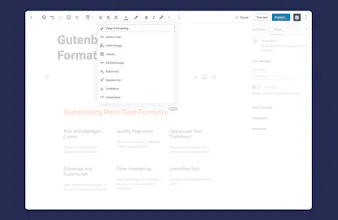
Hey all, I would like to introduce something that I've been working on these past few months. It's the EditorsKit Plugin for WordPress block editor which aims to provide set of tools to easily navigate the editor, write freely and improve content building workflows. Below are the key features available on this free WordPress plugin : Rich Text Formats ✔ Text and Highlight Colors ✔ Justify Paragraph Alignment ✔ Underline Text ✔ Subscript and Superscript ✔ Uppercase Text Transform Block Visibility ✔ Devices Responsive Visibility ✔ Logged-in or Logged-out User State ✔ Custom Display Logic ✔ Advanced Custom Fields Visibility Integration Block Styling ✔ Image and Cover Block Styles ✔ Full Screen Display Option ✔ Custom Utility Classes Suggestions Productivity Tools ✔ Markdown Formatting ✔ Block Guide Lines ✔ Hide Title Option ✔ Block Drag and Drop Import; and Export ✔ Disable Auto Saving ✔ Features Manager Thank you very much for your interest and upvote. I hope EditorsKit will be really helpful for your new WordPress writing workflow.
Galli Web
Very useful features and the integration in Gutenberg is top! Keep up the good work, well done. I can highly recommend EditorsKit.
Jeffrey Carandang
@galli_web Thank you very much for your recommendation! I'm really glad that you are loving the plugin features. More on the way ;)
Jannah Lyon
Oo! I love the Block Visibility so you can hide blocks on mobile!!! Thank you!!
Jeffrey Carandang
@jannah_lyon You are very welcome and thank you for the support too! It's one of my most used feature on my sites too ;) Really glad to be of help.
Gilbert Cattoire
The concept is truly great. Among other things, it will be useful for applying specific typographic rules, without having to edit the html, adding inline styles by hand. Example : the white-space:nowrap css property, which is by default a pain to apply on pairs of words / numbers / units that should never wrap. The typical example is a price list where the currency symbol wraps at the end of the line, in responsive mode, depending on screen size, looking bad. €10 is 10 € in France, for instance. Another suggestion would be to be able to apply inline css styles to text in batch mode. For instance, not only would I want to add the white-space property, but also change the color to red and make it strong. All inline. In one go. Meaning the user should be able to easily add multiple css styles as variables - defining his own set of css features. Right now it has to be hardcoded first. But I digress :) This toolkit is a must have. Thanks Jeffrey !