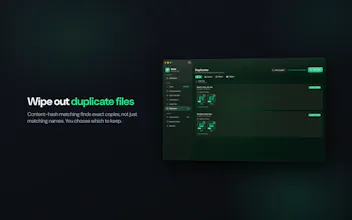
Most Mac cleaners either look sketchy or hide what they delete behind a progress bar. Duply lists every file first — junk, caches, content-hash duplicates, big files — and you tick what goes. Fully sandboxed: no account, no network, no telemetry. Nothing leaves your Mac. One-time $4.99, no subscription. macOS 14+.
No reviews yetBe the first to leave a review for Duply
Hunter
📌
Hey Product Hunt 👋
I built Duply because I got tired of paying a yearly subscription just to clear caches on a 256GB MacBook — and because most cleaners either look sketchy or hide what they're actually deleting behind a progress bar.
So the one rule I wouldn't bend: Duply shows you every file before it removes anything. Junk, caches, content-hash duplicates (renamed copies still get caught), and the biggest files on disk — all listed, and you tick what goes. It's fully sandboxed with no account, no network access and no telemetry, so nothing ever leaves your Mac.
If you develop on a Mac, the usual space hogs turn up fast: Xcode DerivedData, simulator images, old node_modules folders.
It's a one-time $4.99 on the Mac App Store — no subscription. Would genuinely love your feedback, especially: what's the one thing you'd want a cleaner to *never* touch?
Report
Love the checkbox-everything-first approach, feels way safer than those one-click cleaners. One thing I'd want: a "safe to delete" badge or warning tag for system caches the OS might regenerate vs ones that actually free up space long-term, so I can prioritize what truly matters when triaging the list.