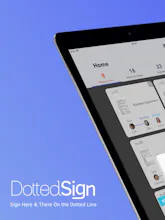
DottedSign is a сross-platform (web and mobile) e-signature tool for you to sign, assign and manage documents online. Stop wasting time emailing signers, printing copies, and faxing paper. Just import your document, sign or request signatures, and hit send.
No reviews yetBe the first to leave a review for DottedSign
Nice! I use DottedSign pretty often at work, don’t really have any issues with it. Only thing is, it’d be nice to have save-able PDF forms to use for later, or for different clients. Is anything like this in the works?
Will the audit trail eventually have more information? Mine says "app" or "online" under device. Will it someday have actual devices like MAC address, IMEI, or some other unique token?
Report
@jared_young1 I'm having the same issue. Our team wants more device specificity on the auditing. Is there a token or transaction ID that we can use for reports?
Report
I use the app on my iPhone 7, and really like the overall user-experience, it's actually enjoyable to use, so congrats on good UX. I kind of agree with what the other users have mentioned, though. Just the fact that the free version somewhat lacks in terms of features compared to the paid app, but that's why it's free, I guess.
Report
@christopher_tucker2 Yeah, the UX is good overall. I do most of the work on my phone, so I like the simplicity and the ease of use. I also wish there were unlimited signers per document, not just two (on the free version)
@christopher_tucker2@ethan_benson Definitely! The good UX and UI on mobile is one of our biggest advantage. Plus, you can assign the task to 3 signers per document for a free version :)
Report
Hunter
Hey ProductHunters! 👋😻I'm thrilled to be hunting DottedSign today — a new e-signatures app which streamlines the process of managing and signing documents across web and mobile. Kudos to the makers + passing on the baton to them 🎙
@vlad_shvets Thanks for the support! We can't wait for getting your feedbacks using DottedSign!
Report
My question is - it’s not so clear how to be compliant with UETA or ESIGN, and which rules you are compliant under when sending out a signature. DottedSign works with UETA, but only when OTP is on, (premium version). Nowhere in the app is it mentioned For $4.99 though, it’s a good deal compared to more expensive Adobe and Docusign (both $10/mo for personal, and up to $40/mo for business).
Report
@ashley_mcbride there's a lot of legal precedent that signatures between business to individual will hold up in court, but anything required by the government is unlikely to be in the same class, and will probably always require their own state-determined security practices.
Report
@ashley_mcbride@vlad_novoseletskiy legally speaking, the court precedent is an envelope you can operate inside of safely. You should keep yourself up to date on 2018-2019 cases if you use e-signatures. If you're trying to make an agreement that hasn't been challenged before, there's no guarantee it will be legally valid.
Report
I like how you can review the completed tasks and view them, without having to download them. It would be nice though to be able to download them all in bulk.



Write-on Video for Windows
Write-on Video for Windows
Write-on Video for Windows
Write-on Video for Windows
Write-on Video for Windows