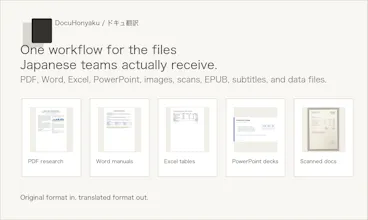
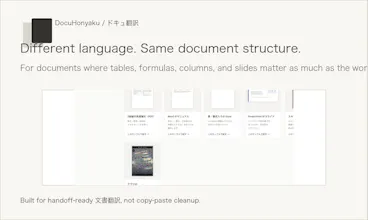
DocuHonyaku (ドキュ翻訳) translates PDFs, Word, Excel, PowerPoint, images, and scanned documents into Japanese while keeping layout, tables, formulas, and file formats intact. Built for Japan-market document workflows where the translated file needs to be usable the same day.
No reviews yetBe the first to leave a review for DocuHonyaku
Maker
📌
Hey Product Hunt,
We are sharing DocuHonyaku (ドキュ翻訳), a Japan-focused document translation tool built around a simple belief: the translation is not finished until the document is usable.
The crowded category is translation. The part that still feels painful is what happens after translation: you get text back, but the PDF, Word file, spreadsheet, slide deck, scanned page, or image still needs to be rebuilt before anyone can actually use it.
DocuHonyaku is our attempt to make document translation feel closer to handoff-ready work:
- Upload PDF, Word, Excel, PowerPoint, image, or scanned documents
- Translate into Japanese while keeping layout, tables, formulas, images, and formatting
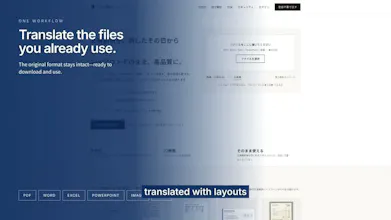
- Download the translated result in the original file format
- Try a preview without signup, then create a free account to download up to 20 pages/month
- Files are auto-deleted within 72 hours and are not used for AI training
We built it specifically for Japan-market workflows: research papers, manuals, business PDFs, spreadsheets, decks, invoices, and other documents where レイアウトそのまま matters as much as the translation itself.
We would love feedback from people who translate documents for Japanese teams, clients, research, operations, or localization. Where does document translation still break down for you: accuracy, layout, file format, pricing, security review, or something else?
Report
Finally something that handles my Excel files without scrambling the columns. Dropped in a Japanese client report and got back something my team could actually use right away, formulas and all.
Report
Glossary support would be a huge addition for teams translating recurring client or product names, letting you save term pairs and apply them automatically across batches of files for consistency.
Report
Tried it on a 30-page PDF with embedded tables and the layout came back surprisingly intact. Way better than copy-pasting into Google Translate and rebuilding everything by hand.
Report
Tables and formulas actually stayed put after the translation, which is honestly the first time that's worked for me on a scanned PDF. Wish I'd found this before wrestling with Google Docs last week.
Finally something that handles my Excel files without scrambling the columns. Dropped in a Japanese client report and got back something my team could actually use right away, formulas and all.
Glossary support would be a huge addition for teams translating recurring client or product names, letting you save term pairs and apply them automatically across batches of files for consistency.
Tried it on a 30-page PDF with embedded tables and the layout came back surprisingly intact. Way better than copy-pasting into Google Translate and rebuilding everything by hand.
Tables and formulas actually stayed put after the translation, which is honestly the first time that's worked for me on a scanned PDF. Wish I'd found this before wrestling with Google Docs last week.