Launching today

DockThumb
Hover + one key to control your Mac’s apps, files & windows
3 followers
Hover + one key to control your Mac’s apps, files & windows
3 followers
Your Dock can show files, but acting on them means extra menus or a trip to Finder. DockThumb puts actions under your pointer: hover + Space to open stacks or hide apps; copy, trash and undo files right in the Dock. Add a window switcher with previews, keyboard tiling and menu bar controls. Your thumb does the work. Your mouse gets a break.

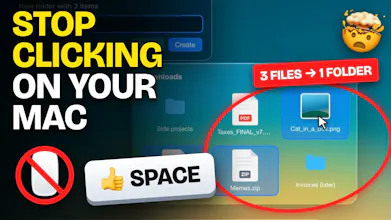




Hover anything in your Dock, press Space. No click, no menu, no aiming. 👍
A Dock stack is the fastest way to reach your latest files, yet macOS only lets you open or drag them. Want to rename, trash or copy one? Open Finder, find the file again, right-click, hunt for the action. DockThumb lets you do it right in the stack, with your thumb.
Hover + Space: open a stack, peek into a folder, open or hide an app
Hover a file + one key: copy ⌘C, rename ↩, trash ⌘⌫, undo ⌘Z
Drag or ⇧-click several files, Space puts them in a new folder 📁
A real right-click menu on files inside stacks
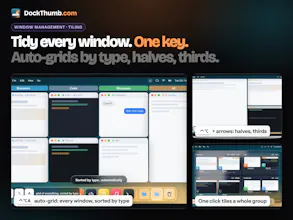
⌥Tab shows every window sorted by type (browsers, AI, code, chat). One click tiles a group
Keyboard tiling, a pinned window, and menu bar clutter tucked behind one ‹
$4.99 once, no subscription. See it in action 👉 dockthumb.com
My mouse is officially unemployed. 🐭