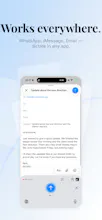
dictate. is a custom iOS keyboard that replaces typing with AI voice dictation. Tap the mic, speak naturally, and text appears in Messages, WhatsApp, Mail, Notes, or any app. Key features: - Works in every app (custom keyboard) - 30+ languages supported - Real-time translation between languages - AI formatting and punctuation - Privacy-first: audio deleted after transcription Free with 70 transcriptions/week. Pro unlocks unlimited use.
Hey Product Hunt! I'm Gabriel, the maker of dictate.
I built dictate. because I was frustrated with how limited voice typing is on iOS. Apple's built-in dictation only works in some places, the accuracy isn't great, and there's no way to translate or format on the fly.
So I built a keyboard replacement. dictate. is a custom iOS keyboard — once you enable it, it works in every app on your phone. Messages, WhatsApp, Mail, Notes, anywhere you type. Just tap the mic and speak.
Under the hood, it uses advanced AI models for transcription, so the accuracy is significantly better than Apple's built-in option. You can also speak in one language and have it typed in another (real-time translation), and the AI handles punctuation and formatting automatically.
It's free to download with 70 transcriptions/week. Pro unlocks unlimited transcriptions and the advanced features.
I'm also working on a macOS version that works system-wide — same concept, speak anywhere on your Mac.
Would love to hear your feedback! Happy to answer any questions.
Report
Happy launch day @gabriel_alonso, the real-time translation feature sounds incredibly useful for international teams like ours.
Report
I tried using it, but I couldn't find where to enter the Groq API. The settings page doesn't mention it either.
> Free usage is limited to 70 transcriptions per week. Upgrading to the "Pro" plan grants unlimited transcription capabilities and advanced features.
Also, the pricing information isn't listed on their website. Is this product so premium that they want to keep prices hidden? If its features are worth highlighting, they should clearly display them. I understand there's a Pro version, but how much does it cost? Is it a one-time purchase or a subscription? The lack of this information is extremely unhelpful.
Does it work on Apple Watch too? If I could input text directly from Apple Watch and have it automatically saved to Drafts or Notion, that would be amazing - but even that possibility isn't mentioned on their website. Overall, I felt there was significant lack of explanation. This represents a huge opportunity cost for user acquisition - what a missed chance.
Automated translation using plamo translate. No proofreading or revision has been performed.
How does your transcription accuracy compare to Apple's native dictation (this is literally pain in the ass apples feature) and models like Whisper in real-world scenarios? Also, is the processing done on-device or via cloud?
@gabriel_alonso I've installed dictate, but I can't change the language from Portuguese to any other language. There is no Language option in my keyboard settings… I see on the screenshots in the wizard that it should appear under the ‘Full Access’ switch, but in my case, it’s not there.
OK, I skipped the Test step in the wizard and I can see language selector in the app config 👍
Report
Interesting approach going mobile-first with voice typing. The challenge I've seen is accuracy drops significantly with form fields vs free text — how does it handle structured input like emails, phone numbers, dates?
Report
Did you consider building this as a share sheet extension or Shortcut instead of a full keyboard replacement? Custom keyboards on iOS have always had a rough time with the Full Access permission. Users get nervous granting it even when the app isn't collecting anything.



dictate.
Happy launch day @gabriel_alonso, the real-time translation feature sounds incredibly useful for international teams like ours.
I tried using it, but I couldn't find where to enter the Groq API. The settings page doesn't mention it either.
> Free usage is limited to 70 transcriptions per week. Upgrading to the "Pro" plan grants unlimited transcription capabilities and advanced features.
Also, the pricing information isn't listed on their website. Is this product so premium that they want to keep prices hidden? If its features are worth highlighting, they should clearly display them. I understand there's a Pro version, but how much does it cost? Is it a one-time purchase or a subscription? The lack of this information is extremely unhelpful.
Does it work on Apple Watch too? If I could input text directly from Apple Watch and have it automatically saved to Drafts or Notion, that would be amazing - but even that possibility isn't mentioned on their website. Overall, I felt there was significant lack of explanation. This represents a huge opportunity cost for user acquisition - what a missed chance.
Automated translation using plamo translate. No proofreading or revision has been performed.
Congrats @gabriel_alonso !
How does your transcription accuracy compare to Apple's native dictation (this is literally pain in the ass apples feature) and models like Whisper in real-world scenarios? Also, is the processing done on-device or via cloud?
Buddymove
Buddymove
Interesting approach going mobile-first with voice typing. The challenge I've seen is accuracy drops significantly with form fields vs free text — how does it handle structured input like emails, phone numbers, dates?
Did you consider building this as a share sheet extension or Shortcut instead of a full keyboard replacement? Custom keyboards on iOS have always had a rough time with the Full Access permission. Users get nervous granting it even when the app isn't collecting anything.
Buddymove
Voice typing in iOS is very limited, especially for Polish, so I totally understand of the need for such solutions... good luck!