DeckCraft offers professionally-designed presentation templates for startup founders, consultants, and business professionals who want polished, investor-ready decks — without hiring a designer. Choose from three collections: Pitch Deck Pro (5 slides for fundraising), Sales Deck (5 slides for closing clients), and Executive Report (5 slides for leadership). Each includes SVG slide files, a one-click brand color swap, and a customization guide.
No reviews yetBe the first to leave a review for DeckCraft
Maker
📌
Hey Product Hunt! 👋
I built DeckCraft because I kept seeing founders and consultants spend hours trying to make their presentations look professional — or paying $500+ for a custom deck they'd only use once.
DeckCraft gives you premium, designer-quality templates at a fraction of the cost. Each collection comes with 5 beautifully crafted slides, a one-click color swap tool, and a customization guide so you can look polished in minutes.
What's included:
• Pitch Deck Pro — perfect for investor fundraising
• Sales Deck — close more clients with a persuasive flow
• Executive Report — impress leadership with clean data presentation
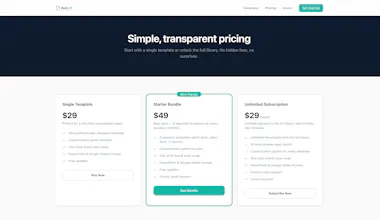
Pricing (launch special 🚀):
• Single template: $29
• Starter Bundle: $34 (normally $49 — 30% off!) → https://buy.stripe.com/3cIfZhcTJ...
• Unlimited access: $29/month
Every purchase includes SVG files + customization guide. Your brand colors in one click.
I'd love to hear your feedback — what's the one slide type you struggle with most? 👇
Report
The one-click brand color swap is honestly such a smart touch, no fiddling with hex codes or breaking the layout. Love that you kept it to tight 5-slide collections instead of bloating it out.
Report
Maker
@gllilaw Thanks! Yeah, I've seen too many template packs where you get 50 slides and 48 of them are useless. The 5-slide format forces you to focus on what actually matters for each type of presentation. For a pitch deck, you really only need: hook →problem → solution → proof → ask. Everything else is noise.The color swap is literally just find-and-replace for the hexvalues — I wanted it to work even if you're not technical.
Report
Love the one-click color swap idea, that alone saves so much time. One thing that would push this further for me is a built-in slide library view where I can preview every slide in a collection on one page before buying, instead of just trusting the description.
Report
Maker
@tuncaypamurqnk Appreciate that! The color swap was the first thing I knew I had to nail — messing with brand colors in PowerPoint is always a nightmare. On the slide preview, you're right — I'd love to get a full gallery view up where you can flip through every slide in a collection before buying. Right now the templates page shows 5 sample slides per collection, but a proper light box preview is on the roadmap. What would make you hit "buy" vs just browse?
Report
The one-click brand color swap is a really thoughtful touch, especially for consultants juggling multiple clients. Love that the SVG files stay editable after customization too.
Report
Maker
@asiyel42174 This is exactly the use case I designed for! Consultants who switch between client brands constantly need something that adapts fast. The SVG format was a deliberate choice — no proprietary software required, no locked-in templates. You can open them in any tool, change anything, and they'll stay crisp at any resolution. Any other pain points you run into when prepping client presentations?
The one-click brand color swap is honestly such a smart touch, no fiddling with hex codes or breaking the layout. Love that you kept it to tight 5-slide collections instead of bloating it out.
@gllilaw Thanks! Yeah, I've seen too many template packs where you get 50 slides and 48 of them are useless. The 5-slide format forces you to focus on what actually matters for each type of presentation. For a pitch deck, you really only need: hook →problem → solution → proof → ask. Everything else is noise.The color swap is literally just find-and-replace for the hexvalues — I wanted it to work even if you're not technical.
Love the one-click color swap idea, that alone saves so much time. One thing that would push this further for me is a built-in slide library view where I can preview every slide in a collection on one page before buying, instead of just trusting the description.
@tuncaypamurqnk Appreciate that! The color swap was the first thing I knew I had to nail — messing with brand colors in PowerPoint is always a nightmare. On the slide preview, you're right — I'd love to get a full gallery view up where you can flip through every slide in a collection before buying. Right now the templates page shows 5 sample slides per collection, but a proper light box preview is on the roadmap. What would make you hit "buy" vs just browse?
The one-click brand color swap is a really thoughtful touch, especially for consultants juggling multiple clients. Love that the SVG files stay editable after customization too.
@asiyel42174 This is exactly the use case I designed for! Consultants who switch between client brands constantly need something that adapts fast. The SVG format was a deliberate choice — no proprietary software required, no locked-in templates. You can open them in any tool, change anything, and they'll stay crisp at any resolution. Any other pain points you run into when prepping client presentations?