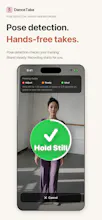
Pick your music, tap Start, then step into frame. DanceTake waits until you’re steady, counts you in, and starts recording with your music. Your video gets the original audio automatically. An iPhone camera for filming your own dance practice.
Hi Product Hunt! I’m the maker of DanceTake.
Filming a dance on your own means juggling the camera and the music, then lining up the audio afterward. I wanted to make that whole process simpler.
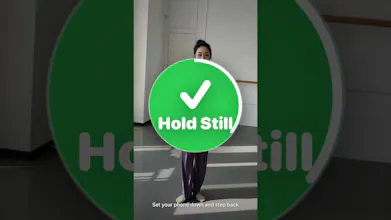
Choose an audio file or reference video, tap Start, and walk into frame. DanceTake gives you framing cues and waits until you’re steady before counting you in. The music and recording start together, and the finished video uses the original audio. You can also record with live sound, without choosing any music.
It’s free to record, trim the ending, mirror, and save your takes. Free exports have a DanceTake watermark in the last five seconds; a one-time Pro purchase removes it. No subscription or account required. Body detection and video processing happen on your iPhone.
If you film your own dance practice, I’d love to hear what part of the setup you find most fiddly.