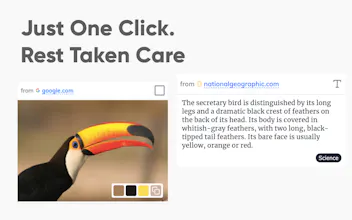
Cutouts brings you the smartest clipboard organiser for the web ever built. Save images, text & videos with a click. Escape the worry of keeping track. Cutouts makes it simple to organise your clipboard on the web using ML on the browser all for Free!
No reviews yetBe the first to leave a review for Cutouts
Awesome!! Tried it and found it easy to use. At the end of the day I don't need to browse for my browser history anymore for searching the things I was interested in.
Is it available on Firefox?(Ubuntu user)
@shubham_kumar_agrawal We are facing issues publishing it on firefox addon directory, Meanwhile you can play with the extension which can be downloaded from http://bit.ly/cutouts-04 . Download the zip & you can install the extension in firefox at this link - about:debugging#/runtime/this-firefox
Good idea, and a big fan of keeping things local. Try as I might, though, I've only been able to get it to extract text- and image-typed cutouts - what does one have to highlight and context/right-click to get it to snag a video element?
Could also see manually classifying into collections getting a bit tedious - maybe remember an "active" collection and drop things in there by default? (Or turn some of the ML juice loose on autoclassifying/suggesting collections? Or does it do that and I just missed it/haven't provided enough input yet?)
@murchadh Noted 📝 Right now uncategorised section becomes is the default. Will add an option to choose collection on right click itself in the upcoming update (Dont worry this will be there very soon)
@murchadh An update has been rolled out which lets you select the `Collection` on Right Click itself. Chrome extensions are updated automatically, if its not you can go to the extension page & click on update
Report
@thewizardjs Thanks, trying it out now.
Minor UI annoyance - I stupidly saved a URI from within a Cutout to another Cutout and the "from {domain}" text is so long, I don't have a move/delete selection checkbox available. (It was one of those really long identifiers from the chrome:extensions:// URI.) Had to delete the whole board to clean it out.
I browse the web all day long constantly looking for inspiration & ideas. I find it hard to collate my findings on the web 👨💻
I hate switching between tabs, cut-copy-paste, keep track of everything 😖 😝
It hampers the browsing experience, I don't want to move away from a tab just to save an awe-inspiring image which I might use in my next article 😐
Thats how me & my friends who faced the same trouble came up with with a solution - Cutouts ! 🤩🙋♀️
See it in action - 🍿📽
Cutouts enable you to do some super cool things -
✅ Save text highlights from the web, collect inspiration & data for your next big article or award winning ad 🏆
✅ Save images & videos to generate mood-boards on the fly 📸
✅ Create instant color palettes from images 🎨
✅ Sorts and auto tags all your cutouts and search like a pro! 🔎
✅ Create collections and keep yourself organised 🧘♀️
✅ No sign up required, always FREE ✨
✅ No spying ! Your data is your data. Everything is processed on your machine, in your browser 🕵️♂️ 🔐
Emoji png in PH logo - https://cliply.co/
(Shout out to @zdanovi)
@neilio We have been thinking of this as well. Our focus was to keep data as private as possible, we dont process or store any data on the server. We possibly will release a cloud sync version as well for users who want use on multiple machines
Report
@neilio@thewizardjs I appreciate you take care about privacy. Really important. Adding cloud sync would be good balance for those who want keep their collection between multiple machines yet remain good level of privacy. I would also see any way of back up functionality (even before sync feature).
@neilio@thewizardjs ATAWAD Any Time Any Where Any Device ^^ Should be great :)
Report
quick question: I "cutout" a video from a webpage, and then tried to play it in Cutout. Am I supposed to be able to click the video arrow and have the video play in Cutout? I've tried to do this, but nothing happens....advice?
⚡️Few updates have been made (0.0.2)
✅ You can now choose the collection while creating a Cutout directly
✅ Hyperlinks can be saved & previewed
✅ Open the source page directly from the card
If you have installed the chrome extension it will update automatically, if you still don't see the changes, you can go the extensions page (chrome://extensions/) and click on 'Update' to get the latest features.
DGraph.io
DGraph.io
DGraph.io
DGraph.io
DGraph.io
DGraph.io
DGraph.io
DGraph.io
Osaurus
DGraph.io
Dashly
Cutouts
DGraph.io
DGraph.io
Cutouts
DGraph.io