
Cubby Image for Figma
AI Image Editing right inside Figma
6 followers
AI Image Editing right inside Figma
6 followers
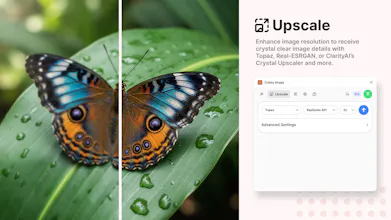
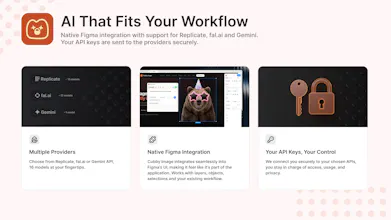
Generate stunning AI images in Figma. Use Nano Banana, FLUX.1 Kontext, Seedream 4.0, Topaz and more for professional image generation, upscaling and background removal, all packed in an easy to understand user workflow. Cubby Image works the way you do, whether you’re building alone or creating live with your team on a shared canvas. Simple as that.



Hey Product Hunt friends!
I’m Kenny, one of the makers behind Cubby Image. After successfully releasing Cubby Image for Photoshop two months ago, we decided to branch out and offer our plugin on Figma as well.
With Cubby Image, you can generate images using the latest models, edit specific areas with precision, use references directly from objects, upscale images, and remove backgrounds. All without leaving Figma. No more switching tabs or awkward workarounds. It’s all integrated right where you’re already creating.
Why did we create Cubby Image? 🐻
With Cubby Image for Photoshop, we already had a great AI image-editing plugin backed by an amazing community. But we were missing one key piece: the ability to collaborate while generating images. Figma makes this possible. Now, with Cubby Image for Figma, you can generate and edit images together, share prompts and ideas live, and take your workflow to a new level.
We’d love to hear your thoughts and feedback! Every suggestion helps us make Cubby Image a smoother, smarter creative companion. Excited to see what you’ll create with it :-)