CTRON Loop helps freelancers, founders and small teams get everyday work done with AI grounded in your own knowledge. Bring your own AI key or use managed AI, run tasks in plain English, and turn the work you repeat into reusable loops.
What inspired me to build CTRON Loop was watching myself, and almost everyone around me, use AI the same way we use a search engine, asking a question, getting an answer, closing the tab, and starting again the next day as though nothing from before had happened. But real work does not actually happen that way.
I had been building across a few different projects, a healthcare staffing platform, a home services marketplace, and a fintech idea, and in every case the AI itself was rarely the hardest part. The harder part was everything around it, getting the right task to the right model, keeping context alive, remembering what the business actually does, and not starting from blank every morning as if we had never spoken before.
That frustration is where CTRON Loop came from.
At first I thought the answer was simply better prompts and smarter routing between models, but the more I built, the more I realised the deeper gap was continuity. AI should not behave like a stranger every time you open a new tab. For repeated work, it should feel more like a colleague who has actually been paying attention.
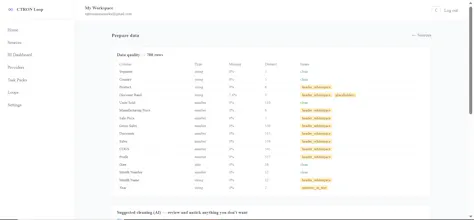
That shift led to the core idea behind CTRON Loop, which is turning repeated AI tasks into reusable workflows. You upload your sources, run a task, save the process as a Loop, and reuse it later with new files, and the aim is to reduce repeated context, wasted tokens, prompt debugging, and the feeling of rebuilding the same workflow again and again.
I also wanted people to stay in control of the models they trust, so CTRON Loop supports bringing your own keys for providers like OpenAI, Anthropic, and Perplexity. The goal is not to sell another AI model. The goal is to build the workflow layer that makes the models people already use more useful day to day.
It is still early, but I would love feedback from anyone using AI for reports, dashboards, research, compliance, operations, client work, or any task that keeps coming back, and I am happy to answer anything about how it works, what is under the hood, or where I am taking it next.
Report
Love that it works off your own knowledge, super relevant for client work. One thing I'm wondering though, how does it actually handle updating when the source docs or notes change? Curious if I have to manually re-feed stuff or if it picks up edits on its own.
Report
Maker
@yamurf0g2 Good question, and funnily enough this shipped this week.
Loop doesn't watch your files, so it won't pick up edits on its own. But you don't re-feed anything either. Every doc you upload is a source with a stable identity. When the doc changes, you hit Update on that source and drop in the new file. That's it. Every saved Loop, task and dashboard built on that source automatically uses the latest content on the next run, nothing to rewire, no reprompting.
You also get version history on each doc, so you can see what was live when, download old versions, or roll back if someone uploads the wrong file. Restoring never overwrites anything, it just becomes the newest version.
Live sync from Drive or Notion is on the list but I'd rather say that plainly than pretend it's there. For client work today: update the doc once, rerun your Loops, done
Report
No reviews yetBe the first to leave a review for CTRON Loop
Love that it works off your own knowledge, super relevant for client work. One thing I'm wondering though, how does it actually handle updating when the source docs or notes change? Curious if I have to manually re-feed stuff or if it picks up edits on its own.
@yamurf0g2 Good question, and funnily enough this shipped this week.
Loop doesn't watch your files, so it won't pick up edits on its own. But you don't re-feed anything either. Every doc you upload is a source with a stable identity. When the doc changes, you hit Update on that source and drop in the new file. That's it. Every saved Loop, task and dashboard built on that source automatically uses the latest content on the next run, nothing to rewire, no reprompting.
You also get version history on each doc, so you can see what was live when, download old versions, or roll back if someone uploads the wrong file. Restoring never overwrites anything, it just becomes the newest version.
Live sync from Drive or Notion is on the list but I'd rather say that plainly than pretend it's there. For client work today: update the doc once, rerun your Loops, done