
CSS Toolkit
csstoolkit
15 followers
csstoolkit
15 followers
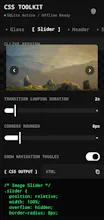
CSS Toolkit is a web-based frontend development app that helps developers and designers work more efficiently with CSS. It provides useful CSS generators, utilities, code snippets, and styling resources that simplify creating layouts, animations, gradients, shadows, borders, and other common CSS effects. It is designed to save development time while helping users learn and apply CSS more effectively.


Free
Launch tags:No-Code
Launch Team

LightfieldAI-native CRM that builds itself and does work for you
Promoted
🚀 I just launched CSS Toolkit on Product Hunt!
If you work with CSS regularly, this tool is designed to speed up your workflow with practical utilities and generators—all in one place.
🌐 Try it here: https://csstoolkitapp.netlify.app/
I'd genuinely love your feedback:
Which feature do you use most?
What's missing?
What would make it more useful for your workflow?
If you find it helpful, feel free to support the launch on Product Hunt and leave a comment. Every piece of feedback helps me improve the product.
#ProductHunt #BuildInPublic #WebDevelopment #CSS #Frontend #IndieHackers #JavaScript #DeveloperTools
Does this work fully offline once loaded, or do the generators need a constant connection to pull in updates or new snippets?
@senarcyl Yes, it works fully offline once loaded. 😊 The generators run locally, so you don’t need a constant internet connection to use them.
@senarcyl 🚀 CSS Toolkit is now live!
You can check it out here: https://csstoolkitapp.netlify.app/
Give it a try, and let me know what you think. Your feedback is always appreciated!
The gradient and box-shadow generators are genuinely handy for quick prototyping. Loads fast and the snippets feel well curated.
@azatv0rh Thanks so much, Azat! Really appreciate that.
@azatv0rh 🚀 CSS Toolkit is now live!
You can check it out here: https://csstoolkitapp.netlify.app/
Give it a try, and let me know what you think. Your feedback is always appreciated!
Love having a quick place to grab generators and snippets. One thing that would make it way more useful for me is a side-by-side preview where I can tweak the CSS on the left and see the live result on mobile, tablet, and desktop widths at the same time.
@kumsalmnyj Great suggestion!I’ll definitely consider adding this feature
@kumsalmnyj CSS Toolkit is now live!
You can check it out here: https://csstoolkitapp.netlify.app/
Give it a try, and let me know what you think. Your feedback is always appreciated!
Love how it keeps the generators focused and clutter-free, no upsells or popups getting in the way of the actual work. The gradient and shadow tools especially feel like they were built by someone who actually uses them daily.
@adem132916 Thank you so much! That means a lot to hear. Keeping the tools focused and free from distractions was one of my biggest priorities
@adem132916 🚀 CSS Toolkit is now live!
You can check it out here: https://csstoolkitapp.netlify.app/
Give it a try, and let me know what you think. Your feedback is always appreciated!