
Corder
Private meeting transcripts on your Mac
15 followers
Private meeting transcripts on your Mac
15 followers
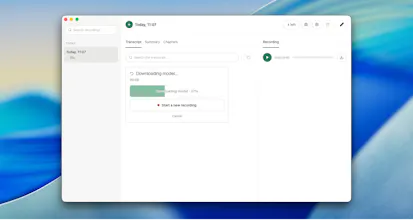
Most meeting recorders send a bot into your call. Everyone sees it join, and plenty of companies block it outright. Corder doesn't send anything. It records at the macOS level: your mic and the system audio as two separate tracks. Nothing joins the call, nothing to invite, no extra tile. Works in Zoom, Meet, Teams, Discord, or any browser tab, including the ones where bots are blocked. Transcription runs on-device, so your recordings stay on your Mac. Free, no account needed to start.



Free
Launch Team / Built With


Viktor.comAn AI coworker that actually does the work
Promoted


Thanks for release. I already left a comment in the forum post, but generally everything is working good, so I can recommend it for work and other purposes.
Like that it starts automatically after detects that your mic is active, so no meeting were forgotten.
@maksym_nocorny Thank you mate! You have been on this since the early builds, and half the bugs that are not in today's release are not there because you hit them first on a real call and told me. The auto detect is the part I use most too. Corder watches for an app taking the microphone, so a call you did not plan to record still gets recorded, and you decide afterwards whether to keep it.
Finally, a meeting recorder that doesn't make me look like I'm running surveillance on my own calls. Tried it in Meet and the system audio split is genuinely clean.
@sedanurhuls Yesss! That is the exact thing that made me and the people I talk to uncomfortable, and it is one of the reasons I decided to build Corder as a Free solution for anyone!
Recording at the OS level is a smart workaround, love that it sidesteps bot blocking entirely. One thing that would make it stickier for me though is adding a quick way to clip a thirty second highlight from the transcript and export it as a standalone audio or video snippet for sharing in slack or email.
@mustafasobgmyg Actually, that’s a brilliant idea! I’ll think about how to implement this naturally I really appreciate you!