Launching today

Compris!
Live subtitles for class—pay once, not every year
3 followers
Live subtitles for class—pay once, not every year
3 followers
A Windows app for international students and people working abroad: live subtitles and translation as the lecturer speaks, ask the AI mid-class, then AI notes, vocabulary and quizzes. One-time purchase, your own AI keys, and your data stays on your PC.


Free Options
Launch Team

Tines The single, secure environment for agents, apps, and automations.
Promoted
Hi Product Hunt 👋
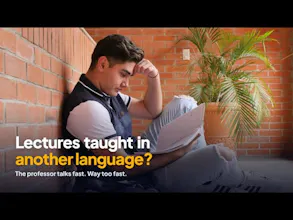
I'm a grad student in France. My lectures are in French, which isn't my first language, and I kept losing the thread — by the time I'd understood one sentence, the professor was three slides ahead.
The real-time translation tools I found cost $150+ a year on subscription. So I asked myself: could I build something where I only pay for the AI I actually use? I started building Compris! during my own classes, adding each feature when I needed it:
🎧 Listen — live subtitles + translation as the professor speaks (7 languages). Mic in class, or your PC's audio for Zoom / Teams / YouTube.
💡 Understand — lost? Ask the AI mid-class; answers point to the exact moment. Summarize just the last 10 or 20 minutes.
🧠 Remember — after class: AI notes, vocabulary with the teacher's own voice, and a review quiz.
How it's different:
• One-time purchase ($20 early bird). No subscription.
• Bring your own Deepgram + Gemini keys (~10 min setup). With the free credits, a student with 7–8 h of lectures a week pays almost nothing in year one.
• Recordings and notes stay on your PC. Nothing goes through my servers.
Honest limitations:
• Windows only for now (Mac is on the list).
• You need your own API keys — that's the trade-off for no subscription. There's a sample lecture you can open right away, without any keys, to see what you get.
There's a 7-day free trial with every feature. I'd love to hear what breaks, what's confusing, and what you'd use it for. I'll be here all day answering. 🙏