Launching today

CompactForm
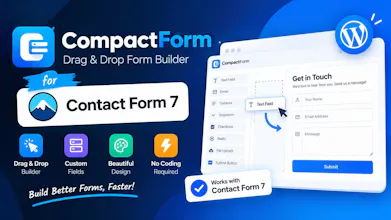
Drag & Drop Form Builder for Contact Form 7
10 followers
Drag & Drop Form Builder for Contact Form 7
10 followers
Build Contact Form 7 forms by dragging and dropping fields. Add layouts, style each field, set conditions and autofill email templates without writing shortcodes.







Build Contact Form 7 Forms Without Writing Shortcodes
Love Contact Form 7, but tired of writing shortcodes every time you need to create or update a form?
CompactForm adds a modern visual builder to Contact Form 7, so you can build professional forms by dragging, dropping, arranging, and styling fields visually.
You keep everything you already like about Contact Form 7. CompactForm simply makes building forms much easier.
Why CompactForm?
Build visually: Drag fields onto the canvas, arrange them into rows and columns, and see your form as you build it.
Stop writing shortcode by hand: No more remembering tags like [text*], [email], [select], or complicated field options.
Create responsive layouts: Build multi-column forms that automatically adapt to mobile devices.
Add conditional logic: Show or hide fields based on what visitors select, without writing custom code.
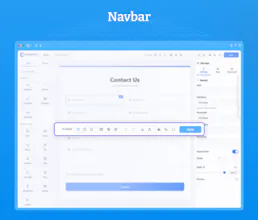
Style every field: Control typography, colors, spacing, borders, width, and more directly from the builder.
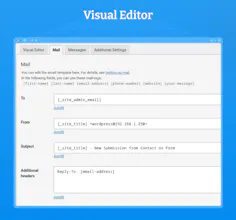
Generate better emails: Create responsive HTML email notifications with automatic field mapping and live email preview.
52 Total field types: Text, email, phone, dropdowns, checkboxes, file uploads, star ratings, signatures, date/time pickers, sliders, country fields, and more.
Import existing Contact Form 7 forms: Already have forms? Import them into CompactForm and start editing them visually.
Export and reuse forms: Export your forms as JSON and move them between WordPress websites.
Built-in spam protection: Use reCAPTCHA, honeypot protection, minimum fill time, and keyword blocking.
And the best part?
Your forms are still Contact Form 7 forms.
That means you don't have to replace your existing Contact Form 7 setup or learn an entirely new form system.
CompactForm works on top of Contact Form 7 and keeps its familiar foundation.
For developers, freelancers & agencies
CompactForm is especially useful if you build WordPress websites for clients.
Create a form once, export it, reuse it across projects, and spend less time manually editing shortcode and email templates.
Need more?
CompactForm Pro adds advanced features such as:
Multi-step forms
Save & Continue
Dynamic calculations
Appointment/slot selection
Stripe payments
WooCommerce product selection
Database entries
Repeatable fields
Google Sheets integration
Slack & Telegram integration
Conditional redirects
Custom form actions
And more
Start with the free version and upgrade when you need more.
We built CompactForm because...
Contact Form 7 is powerful, lightweight, and trusted by millions of WordPress users.
But building complex forms shouldn't require memorizing shortcode syntax.
We wanted to keep the simplicity of Contact Form 7 while making the form-building experience dramatically easier.
That's why we built CompactForm.
👉 Try it, build a form, and tell us what you think.
We'd love your feedback, feature requests, and ideas for what we should build next.
Nice Product, Best wishes.
@golaphazi Thank You 🙏