CodeSyncer

CodeSyncer

Synchronise your LeetCode submissions to their GitHub.

3 followers

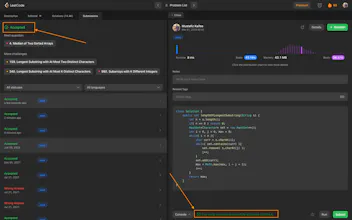
The CodeSyncer Chrome extension allows users to seamlessly sync their LeetCode submissions to their GitHub repository with just a few clicks. This extension eliminates the need for users to manually copy and paste their code from LeetCode to GitHub.
CodeSyncer gallery image
Free
Launch Team
OS Ninja
OS Ninja
Explore and Learn Open Source using AI
Promoted

What do you think? …

Mustafiz Kaifee
Hello everyone, I wanted to share with you how I discovered the amazing CodeSyncer Chrome extension, which simplifies syncing LeetCode submissions to GitHub repositories. As a programmer myself, I was struggling to keep track of my progress and organize my code effectively, which was causing me a lot of frustration and wasted time. That's when I came across CodeSyncer, and I was blown away by how intuitive and easy it was to use. It solved all of my problems with syncing my LeetCode submissions to GitHub repositories, and the code-level tracking feature made it incredibly simple to keep my code organized and up-to-date. I'm so excited about this product that I wanted to invite all of you to join the conversation and share your thoughts and questions about CodeSyncer. If you're a programmer, I think you'll love this product as much as I do, and I'm confident it will make your coding process more efficient and enjoyable. So please, feel free to ask any questions you might have about CodeSyncer, or share your own experiences with this amazing Chrome extension. I'd love to hear from the makers of CodeSyncer as well, so if you're out there, please feel free to join the conversation and share your insights and expertise. Let's make coding easier and more enjoyable together with CodeSyncer!