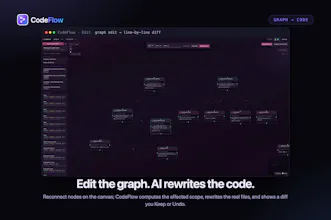
Open an unfamiliar folder and CodeFlow unfolds it into an interactive node graph you can actually read — a semantic map grouped by feature, or a physical map ranked by importance. Change the flow on the canvas — add, delete, reconnect, annotate — and it rewrites the real files to match, every change shown as a line-by-line diff you Keep or Undo.
No reviews yetBe the first to leave a review for Codeflow
Maker
📌
Every function, drawn as a flow.
Drill into any function and CodeFlow lays out its real control flow — diamond nodes for branches, loop markers, and I/O. It even lifts framework routes into entry points: Flask, FastAPI, Django decorators, Express app.get, React Router.
Click a node. Ask what it does.
Every node opens an AI explanation in a side chat. Point it at your own key through a Direct API agentic loop — OpenAI, Anthropic, or a local Ollama — or drive an external CLI agent instead: Codex, Claude, Antigravity.
Edit the graph. Keep the diff.
This is the half most tools skip. Reconnect or delete nodes on the canvas and CodeFlow computes the affected scope, hands the real source to the AI, and shows exactly what changed — line by line. You press Keep or Undo. Dragging a node only tidies the layout; it never touches code.
The AI can touch your files. The disk is the judge.
Letting an AI rewrite your source only works if you can trust the boundary. CodeFlow never trusts what the CLI prints — it snapshots the whole repo first, then judges by what is actually on disk.
Six themes. Eight parsers. One 12 MB file.
No installer, no bundled Chromium, no telemetry. Tauri 2 runs on the OS-native webview, so the macOS build stays around 12 MB — download from the blog, run it, done. Read the UI in six languages, in whichever of six themes you like.
Report
The diff view keeps things honest, which I really appreciate — too many tools hide what they actually changed. Dragging nodes around to restructure a folder felt weirdly satisfying, almost like organizing a whiteboard.
Report
Maker
@meryemdemi73015 Thanks, Meryem. I’m really glad the diff made the changes feel more trustworthy — that was important to me. And I love the whiteboard comparison. That’s exactly the feeling I’m trying to get to when you’re moving things around and thinking through a structure.
Report
Being able to scope the graph to just the files in a git branch would be huge for reviewing PRs, since right now it always shows the whole repo. A dropdown to filter by branch or commit, with the diff view tied to those changes specifically, would make Codeflow feel built right into the review workflow.
Report
Maker
@ceydakl6mhw That’s such a good point. A graph that starts from a branch or commit range would be much more useful for an actual PR review than dropping you into the whole repo every time. I’d want it to show the changed pieces first, then pull in just enough surrounding context to make the impact clear. Curious: would you use current branch vs main most often, or a custom commit range?
The diff view keeps things honest, which I really appreciate — too many tools hide what they actually changed. Dragging nodes around to restructure a folder felt weirdly satisfying, almost like organizing a whiteboard.
@meryemdemi73015 Thanks, Meryem. I’m really glad the diff made the changes feel more trustworthy — that was important to me. And I love the whiteboard comparison. That’s exactly the feeling I’m trying to get to when you’re moving things around and thinking through a structure.
Being able to scope the graph to just the files in a git branch would be huge for reviewing PRs, since right now it always shows the whole repo. A dropdown to filter by branch or commit, with the diff view tied to those changes specifically, would make Codeflow feel built right into the review workflow.
@ceydakl6mhw That’s such a good point. A graph that starts from a branch or commit range would be much more useful for an actual PR review than dropping you into the whole repo every time. I’d want it to show the changed pieces first, then pull in just enough surrounding context to make the impact clear. Curious: would you use current branch vs main most often, or a custom commit range?