Best Products
Launches
Launch archive
Most-loved launches by the community
Launch Guide
Checklists and pro tips for launching
News
Newsletter
The best of Product Hunt, every day
Stories
Tech news, interviews, and tips from makers
Changelog
New Product Hunt features and releases
Forums
Forums
Ask questions, find support, and connect
Streaks
The most active community members
Events
Meet others online and in-person
Advertise
Subscribe
Sign in
Cmd J β ChatGPT for Chrome
Use ChatGPT on any tab without copy-pasting
5.0
β’
3 reviews
β’
712 followers
Use ChatGPT on any tab without copy-pasting
5.0
β’
3 reviews
β’
712 followers
Visit website
AI Coding Agents
β’
Writing assistants
β’
Chrome Extensions
Supercharge your productivity by using ChatGPT on any tab without hassle of copy-pasting with our easy-to-use Chrome extension. Improve your writing, generate blog posts and crush coding issues with ChatGPT keyboard shortcut.
Overview
Launches
1
Reviews
3
Alternatives
Team
Awards
More
Subscribe
Sign in
Social
X
Have a question about Cmd J β ChatGPT for Chrome? Ask it here and get a real answer.
Ask Cmd J β ChatGPT for Chrome
Unblocked AI Code Review
β High-signal comments based on your team's context
High-signal comments based on your team's context
Promoted
Do you use Cmd J β ChatGPT for Chrome?
I use this
I use something else
Maker Comment
Yurii Rebryk
Fluently: AI English coach
Maker
π
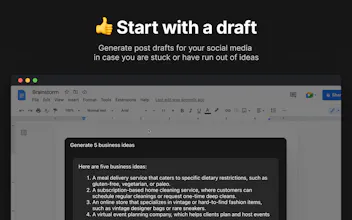
Hello Product HuntβοΈ We built this Chrome extension so you use ChatGPT on any tab without hassle of copy-pasting. Here is what you can do with the app: π©πΌβπ» Fix code bugs 10x faster Quickly get code explanations and answers to hard coding issues not answered on StackOverflow. Right, again press Cmd/Alt + J. π Get human-like answers to your searches Get the answer you need instantly, without searching through pages of Google results. Don't press anything! We've got you covered. π Write emails like a native speaker Feel confident about your grammar, spelling and writing style. Simply select the text and press Cmd/Alt + J. π Boost your social engagement Generate post drafts for your social media in case you are stuck or have run out of ideas. Simply press Cmd/Alt + J. I really hope you like it! But in any case, we would love to hear your feedback! By the way, feel free to subscribe to my Twitter!
https://twitter.com/yrebryk
Upvote
(17)
Report
Share
3yr ago
See discussion
5.0
Based on 3 reviews
Review Cmd J β ChatGPT for Chrome?
Leave a review
Reviews
Most Informative
View all
Dima Sukharev
OpenCommit: git commit message by AI
β’
2 reviews
I previously used Merlin, but it required manually copy/pasting, this extension does the job faster and is also free haha
Helpful
Share
Report
4 views
3yr ago
tiago
Cap
β’
22 reviews
Works really well, nice design. Love it.
Helpful
Share
Report
4 views
3yr ago
Madhuri Ghosh
β’
6 reviews
I totally agree with this apps. Thank you so much.
Helpful
Share
Report
3 views
2yr ago
Fluently: AI English coach