
ClipTurn
Rotate videos as easily as photos, right in Windows 11
12 followers
Rotate videos as easily as photos, right in Windows 11
12 followers
Windows lets you right-click a photo and rotate it. Videos get nothing, and most tools make you pick codecs and bitrates first. ClipTurn adds Rotate left and Rotate right to File Explorer. It physically turns the picture instead of flipping an orientation flag, keeps the source codec when an encoder exists, and preserves audio, subtitles, metadata and HDR where possible. Every result is verified before it replaces the file; if it can't be done faithfully, it refuses. Batch included.
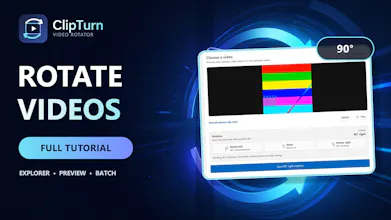


I'm the developer. This started with a folder of clips my phone had saved sideways.
On Windows you can right-click a photo and rotate it. Video gets nothing. When I went looking, the tools split into two camps: some just flip an orientation flag in the container, which looks fine until you upload the file somewhere that ignores the flag and it's sideways again; the rest hand you a codec dropdown, a bitrate field and a quality slider, and you get to guess which combination ruins your file the least.
ClipTurn adds Rotate left and Rotate right to the File Explorer context menu. It turns the actual picture instead of setting a flag, stays on the source codec when Windows has an encoder for it, carries audio, subtitles, metadata and HDR across where the format allows, and verifies the finished file before it's allowed to replace the original. You can open a receipt afterwards showing what was actually checked, and there's a batch tab for running a list of files in one pass.
The behaviour I care most about is that it refuses. ProRes is the clearest example: ClipTurn can't write that codec back, so rotating it would mean quietly handing you a lossy H.264 copy of a mastering-quality file. It stops and tells you why instead.
The limits, plainly. Compressed video is re-encoded, so a saved rotation is a new generation. Only uncompressed AVI comes out sample-exact. Rotations started from Explorer replace the file with no undo, although the ones started inside the app can keep a backup.
Free on the Microsoft Store, no account, nothing gated. The feedback I'd value most is on the refusals: if it declines a file you think it should handle, tell me the codec and container and I'll dig into it.