ClipScript

ClipScript

Transforms macOS clipboard into a productivity powerhouse

88 followers

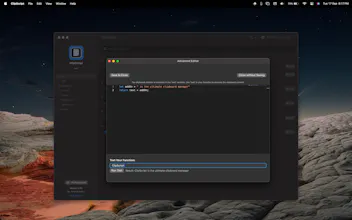
ClipScript transforms your macOS clipboard into an intelligent productivity powerhouse. Create custom functions, manage history, and boost your workflow efficiency like never before.
ClipScript gallery image
Free Options
Launch Team
AppSignal
AppSignal
Get the APM insights you need without enterprise price tags.
Promoted

What do you think? …

Amal Chandra
🚀 ClipScript is Live! 🚀 Hey Product Hunt community! 🎉 I’m excited to introduce ClipScript, a macOS app that takes your clipboard game to the next level! 📋💡 With ClipScript, you can easily run custom JavaScript functions on any copied text—automating repetitive tasks, transforming data instantly, and saving tons of time. Whether you're a developer, writer, or just someone who loves efficiency, this tool is here to help! Would love to hear your thoughts and how you plan to use it. Feel free to suggest features or improvements—let’s get the conversation started! Happy scripting! 💻✨
Yash Ramchandani
This is awesome @amal97 !! Social media marketing can get tedious, I'm excited to try this for auto-formatting posts to fit different platform character limits.
Amal Chandra
@yashmr Thanks so much! I’m glad you’re excited to try it out. Auto-formatting for social media posts can definitely save time—hope it makes things easier for you! Let me know if you have any feedback once you’ve tried it.
Yash Ramchandani
@amal97 will do, thank you!
Genki Daido
Huge congrats on your product launch—here's to its success!
Amal Chandra
@genki_daido Thank you! 😊
Jonny Miles
That sounds super interesting. What kind of workflows / usecases have you found it most useful for?
Amal Chandra
@jonnymiles Thank you! 🙌 ClipScript shines in scenarios where repetitive text transformations or data formatting are needed. Some common use cases include: Developers: Quickly format JSON, decode base64 strings, or run custom scripts to manipulate code snippets. Writers & Content Creators: Transform text (e.g., convert case, remove extra spaces, or replace keywords) without leaving your current app. Data Analysts: Clean up CSVs or other data formats copied from various sources, applying custom filters or functions instantly. It’s flexible enough to adapt to almost any text-based workflow, so you can really make it your own! How do you think you’d use it?
Charles Magnuson
Amal, I want to name my first child after you. This program is fantastic! For over four years I have been searching for a program that lets me manipulate the text in my clipboard. Up until now my search never yielded a useable tool. Not only have you built an app does *exactly* what I want to do, you've built an app that is easy to use yet extremely powerful! I knew I was going to purchase a license even before I found the Download button. I will be using ClipScript every single day and can't wait to share the program with my colleagues. A couple items I wanted to remark on: 1) Upon attempting to add my second function I was prompted to purchase a license which I gladly did. However, after the purchase was successful the prompt did not go away. I thought the app might have frozen as clicking on the background behind the prompt didn't close it. A few moments of thinking were required to realize the "No thanks" option let me back out of the prompt. From there I was trouble-free again. 2) Even though they are extremely simple, I wanted to export and share the functions I've built with my teammates if they pick up the app. I thought I was out of luck when there was no export option under File in the menu bar. It took some further exploration to realize the import/export options exist under the ellipsis button (...) Thanks again for creating this wonderful tool!
Amal Chandra
@magnuson Wow, I’m truly honored by your kind words! 😊 I’m thrilled to hear that ClipScript is exactly what you’ve been looking for and that it’s making such a difference in your workflow. It’s awesome to know you’ll be using it every day! I really appreciate your feedback on both points: 1. I’ll definitely look into the license prompt not going away after purchase—it should be a smoother experience, and your suggestion is helpful for improving that. 2. I’m glad you found the export/import functionality! I’ll consider adding an option under “File” to make it more intuitive for users like you who want to share functions easily. Thank you so much for your support and for spreading the word to your colleagues. If you ever have more feedback or ideas, don’t hesitate to reach out!