Launching today
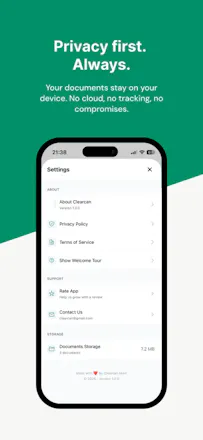
Clearcan is a document scanner built on a simple idea: scanning should take seconds, not a subscription. Scan with automatic edge detection, search documents by their content (on-device text recognition in English, Russian, Romanian), copy text from any page, and export clean PDFs — no watermarks, no limits. Everything runs on your iPhone. No ads, no accounts, no analytics, no cloud. Built by an indie developer tired of scanner apps stuffed with paywalls.



How does the on-device text recognition hold up with longer or handwritten documents, and is there any plan to support more languages beyond English, Russian, and Romanian down the line?
@basogulgon30432 Hi! Long documents are fine — recognition runs per page at save time, around half a second each, so a 20-page contract is no different from a single receipt. Handwriting is weak, as I told Rabia above — printed text is where it shines.
On languages: English, Russian and Romanian are what I actively tested (including Romanian diacritics). Apple's on-device models cover many more, so I'm planning to test and enable additional ones — if you tell me which language you need, I'll prioritise it.
How does the on-device text recognition handle handwritten notes or low-quality photos with shadows, or is it strictly for clean printed pages?
@rabia597613 Hi Rabia! It uses Apple's Vision framework on-device, so printed text — including crumpled receipts, shadows, odd angles — is handled well. Handwriting is the honest weak spot: block letters sometimes work, cursive mostly doesn't.
Love the no-subscription stance, that's a breath of fresh air for scanner apps. One thing that would make this a daily driver for me: support for splitting a multi-page scan into separate documents automatically, or at least let me reorder and delete pages right inside the app before exporting the PDF.
@irmak2070596 Hi Irmak! Deleting pages actually already works — tap the trash icon on any page, both while scanning and inside a saved document.
Reordering is genuinely missing and it's next on my list. Splitting one session into separate documents is a good idea too — noted. Thanks, this is the useful kind of feedback.
Scanned a few receipts and the edge detection picked everything up perfectly without me adjusting anything. The on-device search actually finds text in old Russian documents I had, which is a first for me.
@sabriboruc9hqs Hi! Actually Cyrillic was the whole reason I went with Apple Vision instead of ML Kit — ML Kit still doesn't do Cyrillic at all. Good to hear it works on your real documents)
Downloaded this on a whim and genuinely surprised by how fast the edge detection works, even on crumpled receipts. The on-device text search is what sold me though, finding an old contract in seconds without it leaving my phone.
@aslhanzjhx Thanks, really glad it works for you!
the on-device search actually works shockingly well, found an old receipt in seconds. love that there's nothing to sign up for or unlock.
@ademxzk6 That's exactly the moment I built it for. Glad it landed)