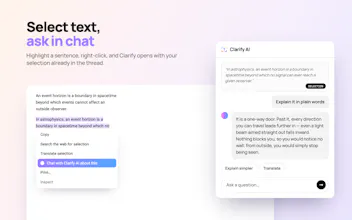
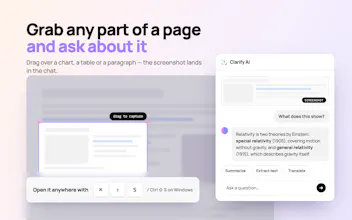
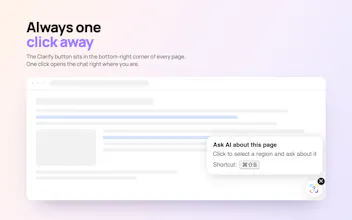
Clarify AI: Screen Answers (OCR) lets you ask AI about anything you see in your browser: a chart, a paragraph, an error message, an image. Features: - Answer this -receive an answer to the question on the screen or the explanation of the text - Extract text - Summarize - Translate - Ask AI assistant follow-up questions Works on website articles, dashboards, docs, social media and more. Useful for charts and graphs, foreign-language pages, diagrams, and anything a text-only tool can't read.
Framer AI AgentsDesign and publish professional sites with AI
Promoted
Maker
📌
Hi Product Hunters,
Please meet the second Study tool by Clarify AI!
'Clarify AI - Study Tools' has grown from a 'pet' project - YouTube Summaries. The idea to develop 'Screen Answers' came after the first product's popularity and we've chosen the niche - tools for effective learning. Just like 'YouTube Summaries', 'Screen Answers' functionality is based on personal learning experience and needs.
All Clarify AI products (YouTube Summaries + Screen Answers) are aimed to 'complete' each other and make a perfect combination of tools for efficient studying online. They all work independently and have free versions, but in a combination radically change your worklow by boosting productivity and saving time on unnecessary stuff.
What is 'Screen Answers' and who is it for?
Clarify AI: Screen Answers (OCR) is a Browser Extension that lets you ask AI about anything you see in your browser: a chart, a paragraph, an error message, an image, and get the answer in one click.
It's made for students and learners who'd like to save time on 'copying' or 'rewriting' info from the screen to analyse it later with separate tools. Screen Answers enables doing this all at once.
Happy to hear your feedback!