
Cardr
Business cards → iPhone contacts, 100% on-device
4 followers
Business cards → iPhone contacts, 100% on-device
4 followers
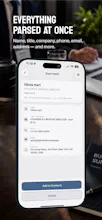
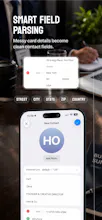
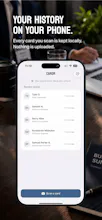
Cardr scans a business card and drops the whole contact into your iPhone Contacts in one tap — name, title, company, phones, email, website, address. It runs entirely on your device using Apple Intelligence (iPhone 15 Pro and newer). Nothing is uploaded. No account, no subscription, no cloud — just a one-time $8.99 unlock after 3 free scans. A privacy-first alternative to cloud card scanners that make you sign up and pay monthly.


Love that everything runs on-device with Apple Intelligence instead of farming my cards out to some random cloud OCR service. The 3 free scans before the unlock is a fair way to let people actually try the OCR quality first.
@aziyenegi5z9b Thanks, Şaziye! 🙏 That's exactly the balance I was going for — enough free scans to actually judge OCR quality, not a crippled demo, but no server needed to enforce the limit. If you get a chance to try it, I'd love to hear how it handles trickier cards — multiple phone numbers, non-Latin names, weird layouts. That's the stuff that's hardest to get right on-device.