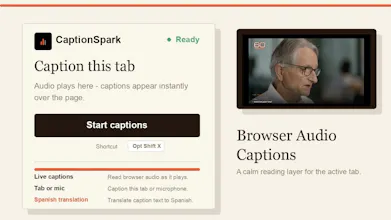
Browser audio is hard to follow when you cannot listen clearly. CaptionSpark turns the active tab into a live caption overlay for videos, calls, streams and X Spaces. Keep reading without leaving the page, follow transcript context, and optionally translate captions to Spanish. Includes 5 free caption minutes, then simple prepaid minutes.
No reviews yetBe the first to leave a review for CaptionSpark
Maker
📌
I shipped CaptionSpark because I kept running into the same small problem: a tab is playing something useful, but listening is inconvenient.
It might be a video, a stream, a call, or a Space. I wanted a button that turns browser audio into readable text without sending me into a separate app.
The first version is intentionally narrow:
1. Start captions from the extension
2. Keep the text over the current page
3. Support Spanish translation
4. Do not store audio
The product is paid after a short trial because transcription costs money. I am trying to keep that part simple and transparent instead of hiding it behind a vague subscription.
Feedback welcome, especially on caption quality, overlay design and onboarding.
Report
How does the translation handle live streams or fast speakers without falling behind the audio, and does the Spanish option swap the original captions or run alongside them?
Report
Maker
It goes phrase by phrase, not word by word. lags a beat but never drifts. spanish shows under the english so you see both
Report
Does the translation to Spanish happen in real time alongside the English captions, or do I have to pick one mode and stick with it for the session?
Report
Maker
It's a toggle, flip it whenever mid session. the english never goes away
Report
The Spanish translation is a nice touch, and the overlay stayed put when I switched tabs. Wish the free minutes came with a quick way to test mic input, but solid overall.
Report
Maker
@earalp60442 Good one, taking the mic test idea. the clock only runs while captions are on anyway, so testing is basically free
Report
the overlay stayed put while i scrolled through docs during a call, which was way more useful than i expected. the spanish translation toggle is a nice touch for sharing clips with coworkers.
Report
Maker
"More useful than i expected" is the exact reaction i was building for. that gap is the whole point. thanks for putting it through a real call
How does the translation handle live streams or fast speakers without falling behind the audio, and does the Spanish option swap the original captions or run alongside them?
It goes phrase by phrase, not word by word. lags a beat but never drifts. spanish shows under the english so you see both
Does the translation to Spanish happen in real time alongside the English captions, or do I have to pick one mode and stick with it for the session?
It's a toggle, flip it whenever mid session. the english never goes away
The Spanish translation is a nice touch, and the overlay stayed put when I switched tabs. Wish the free minutes came with a quick way to test mic input, but solid overall.
@earalp60442 Good one, taking the mic test idea. the clock only runs while captions are on anyway, so testing is basically free
the overlay stayed put while i scrolled through docs during a call, which was way more useful than i expected. the spanish translation toggle is a nice touch for sharing clips with coworkers.
"More useful than i expected" is the exact reaction i was building for. that gap is the whole point. thanks for putting it through a real call